Dashboards
See all your work in one view.
Dashboards give you a bird's-eye view of everything happening across your notebooks.
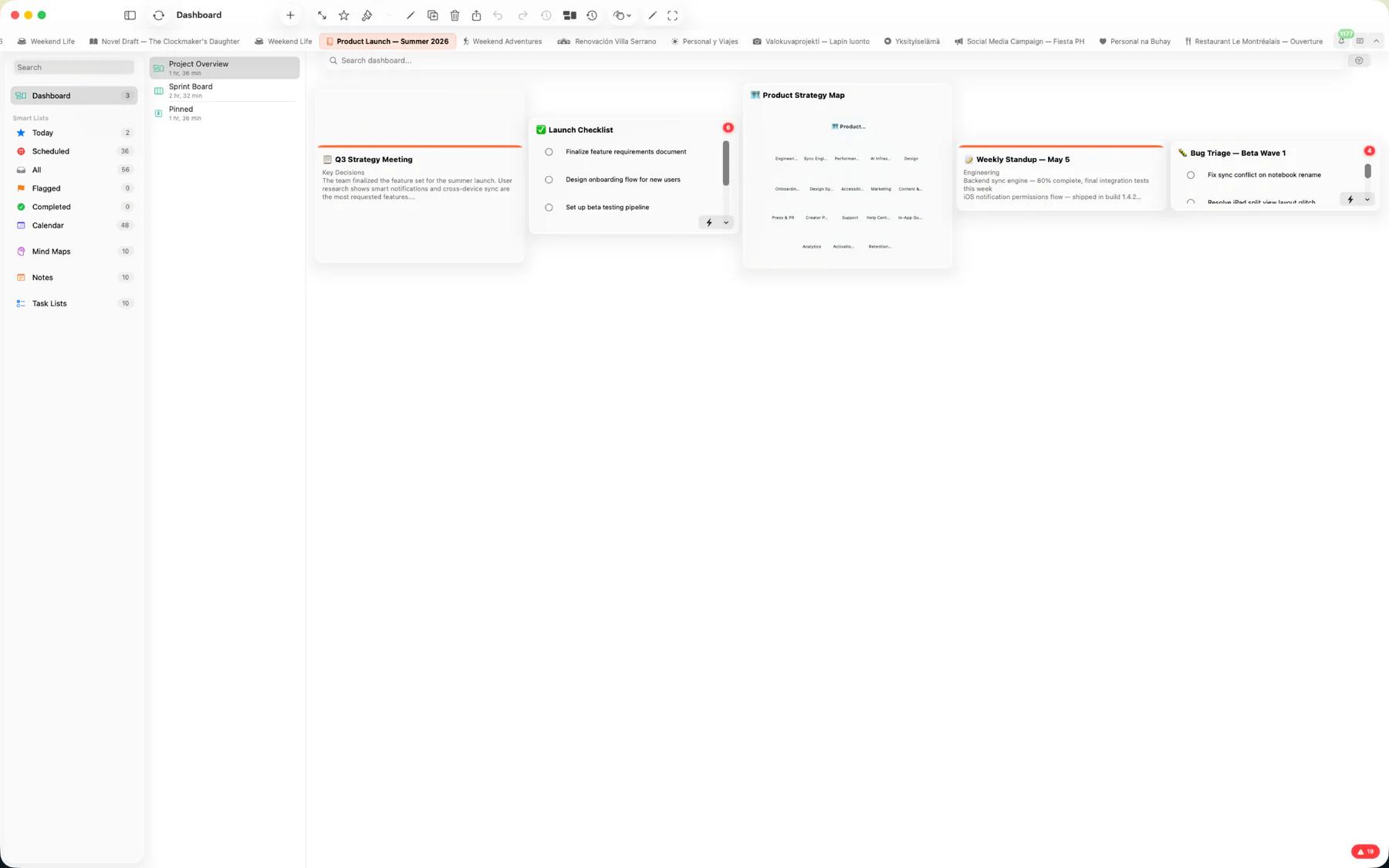
Three board styles
Choose the layout that fits your workflow.
- Overview — A customizable widget grid. Add notes, tasks, mind maps, calendar views, and upcoming events as resizable widgets.
- Kanban — Columns for workflow stages. Drag tasks between columns to track progress.
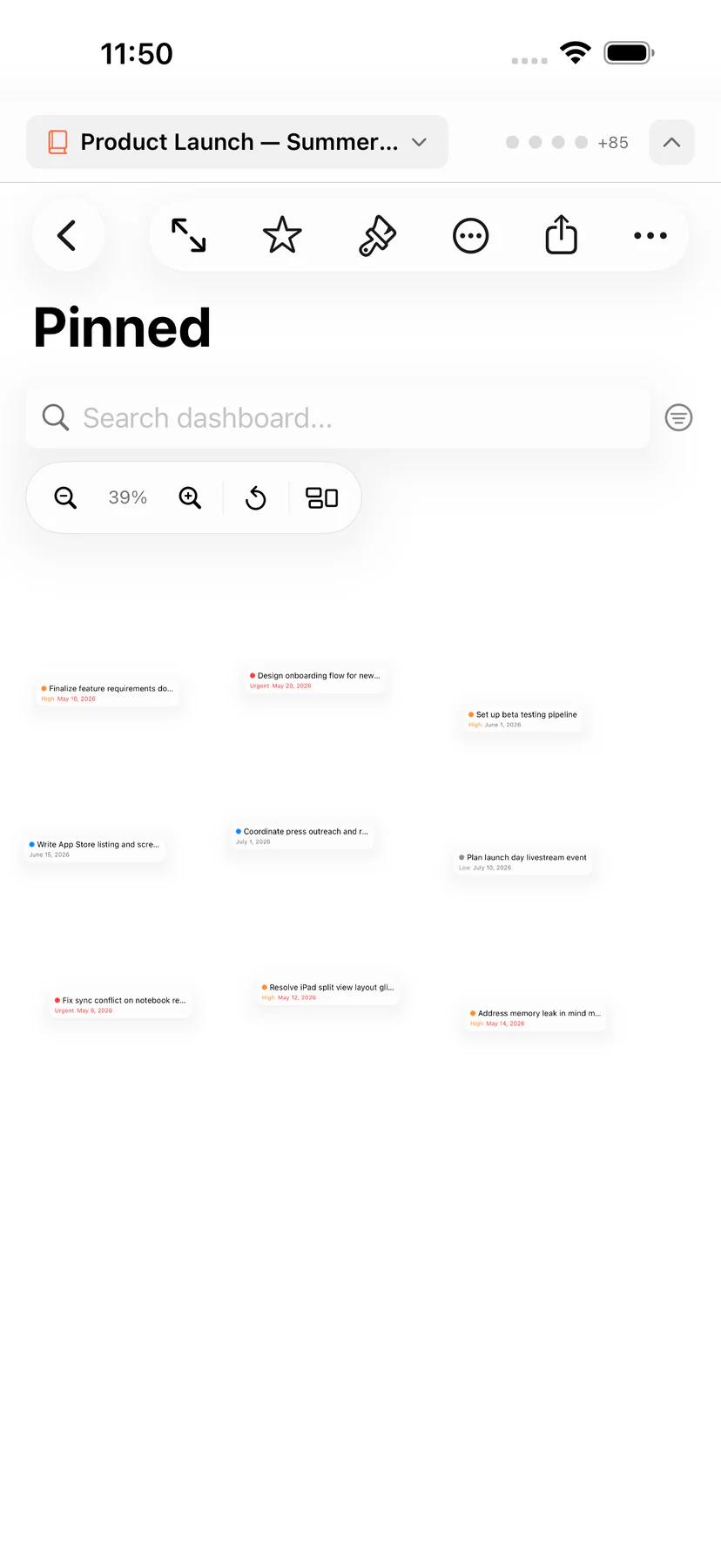
- Post Board — A freeform canvas where you pin and arrange tasks visually.
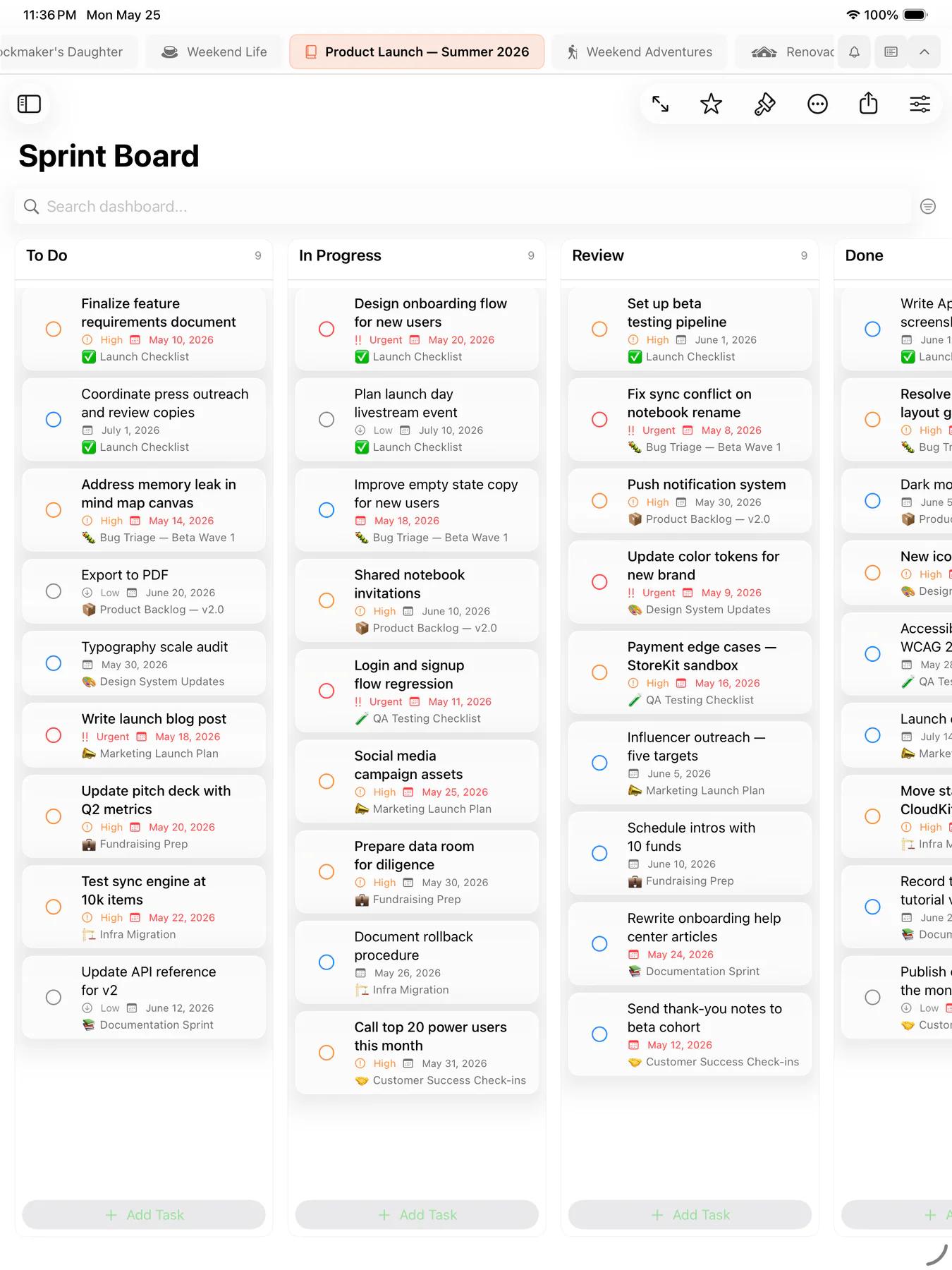
Built for focus
Dashboards include tools to keep you productive.
- Focus mode to hide distractions
- Deadline alerts so nothing slips
- Analytics charts to track your productivity
- Quick actions for common tasks
- Full keyboard shortcut support
Home Screen & Lock Screen widgets
Keep Mintofu one glance away — add widgets to your Home Screen and Lock Screen for the things you check most.
- Quick Capture — jot a note or task straight from your Home Screen, no app launch required
- Notes & Mind Maps — pin a note or map where you'll see it
- Calendar — today's events and tasks at a glance
- Tasks — what's due, front and center
- Dashboards — a live snapshot of your dashboard on the Home Screen
Free for everyone
All three dashboard styles are included free, on every device.