Note Editor
A writing experience that gets out of your way.
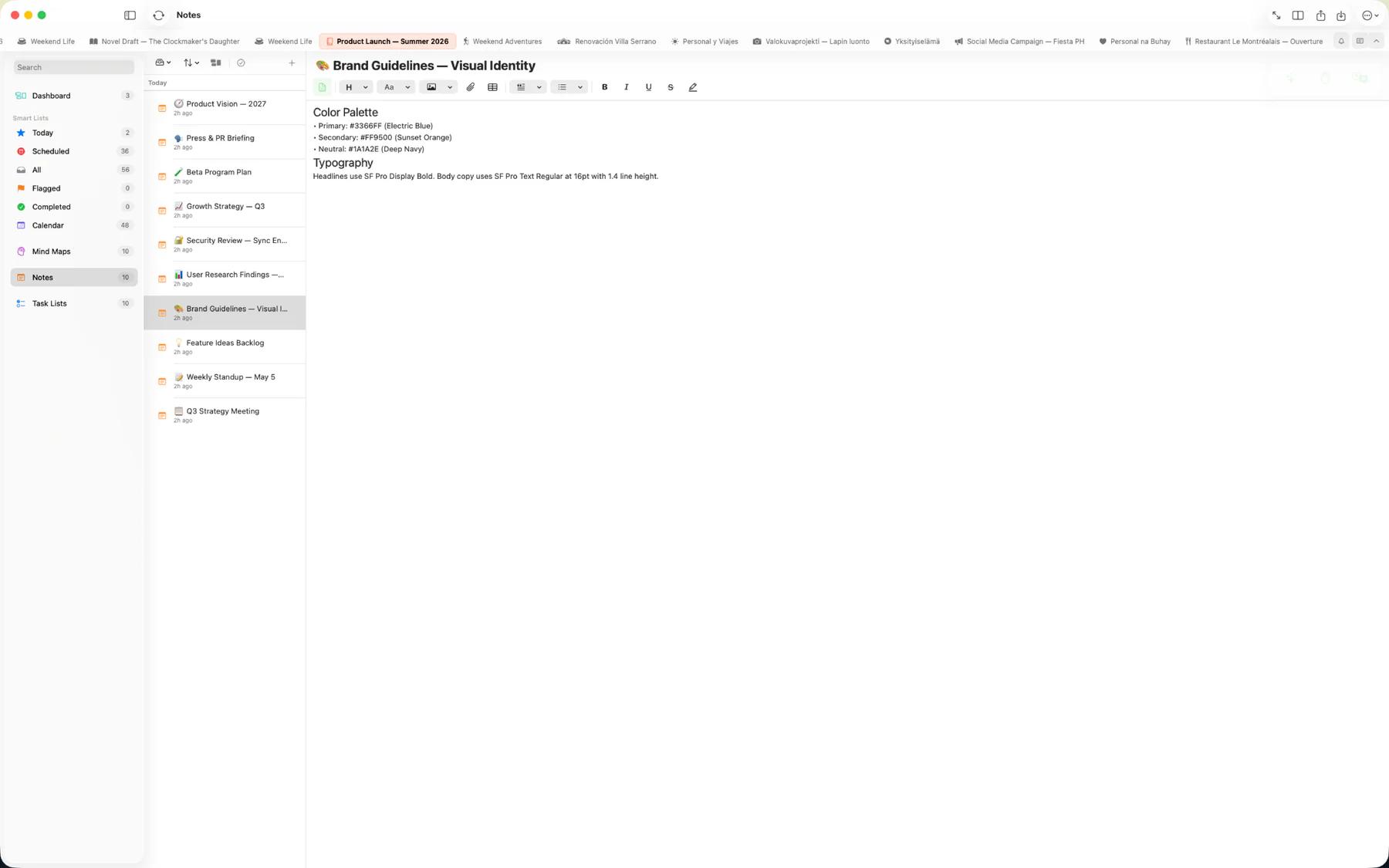
Mintofu's editor is clean, fast, and distraction-free. Just start typing. When you need structure, format with headings, bold, italic, colors, and highlights. The editor adapts to your style — not the other way around.
Rich text formatting
Format your notes with all the essentials and more.
- Bold, italic, underline, strikethrough — all the essentials
- Headings — Structure your notes with H1 through H4
- Text color and highlighting — Emphasize what matters
- Font selection and sizing — Choose the look that works for you
- Live markdown preview — Toggle a split view to see your note rendered as markdown in real time
- Translation — Translate entire notes or selected text into another language with one tap
AI-assisted writing
Mintofu's AI runs on-device through Apple Intelligence, so your notes stay private.
- Generate — describe what you want and let AI draft a note for you
- Brainstorm — refine ideas in an interactive back-and-forth session with the AI
- Convert — turn a note into a task list or mind map without retyping
Drawing canvas (iPad)
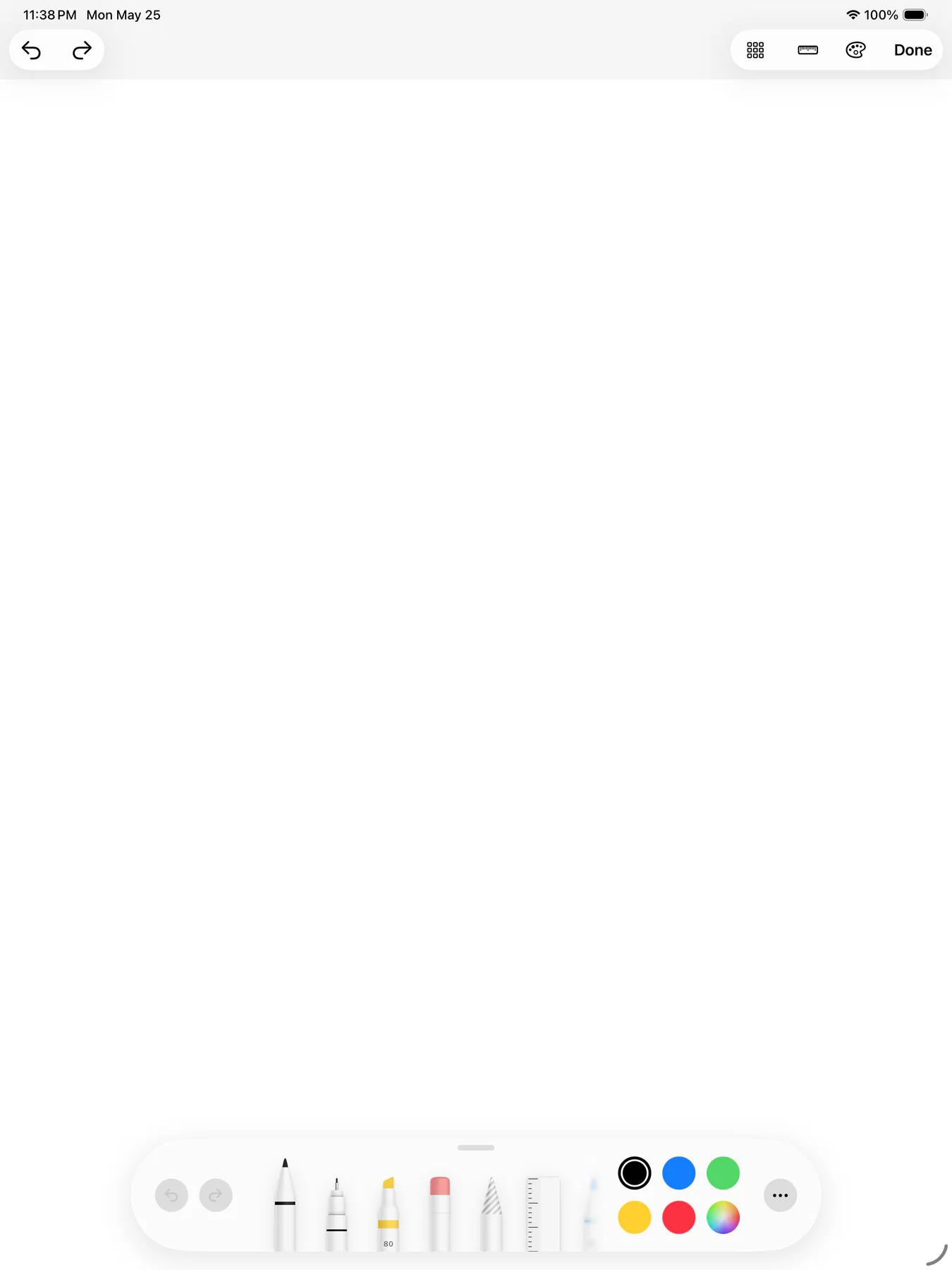
Sketch, annotate, and diagram with full Apple Pencil support. Choose from pens, pencils, and crayons with variable stroke width and opacity. Use ruler guides for precise diagrams. Auto-crop keeps your drawings tidy.

Works with Apple Writing Tools
Apple's system Writing Tools work right inside the Mintofu editor — proofread, rephrase, or summarize any selection without leaving your note. Requires iOS 18.1+ or macOS 15.1+ on a supported device.
Audio Notes
Record a voice memo right inside your note — and keep typing while it records. When you're done, transcribe the recording to text on your device. Perfect for capturing lectures, meetings, and quick thoughts before they slip away. Free includes up to 3 audio notes; Mintofu+ makes them unlimited.
Media attachments
Attach images, audio, video, and documents directly to your notes.