PDF Documents
Read, mark up, sign, and summarize PDFs — right next to your notes.
Your PDFs live in the same notebooks as your notes, tasks, and mind maps. Open a lease, a lecture handout, or a scanned receipt, mark it up with your finger or Apple Pencil, and keep everything about a project in one place — synced across iPhone, iPad, and Mac.
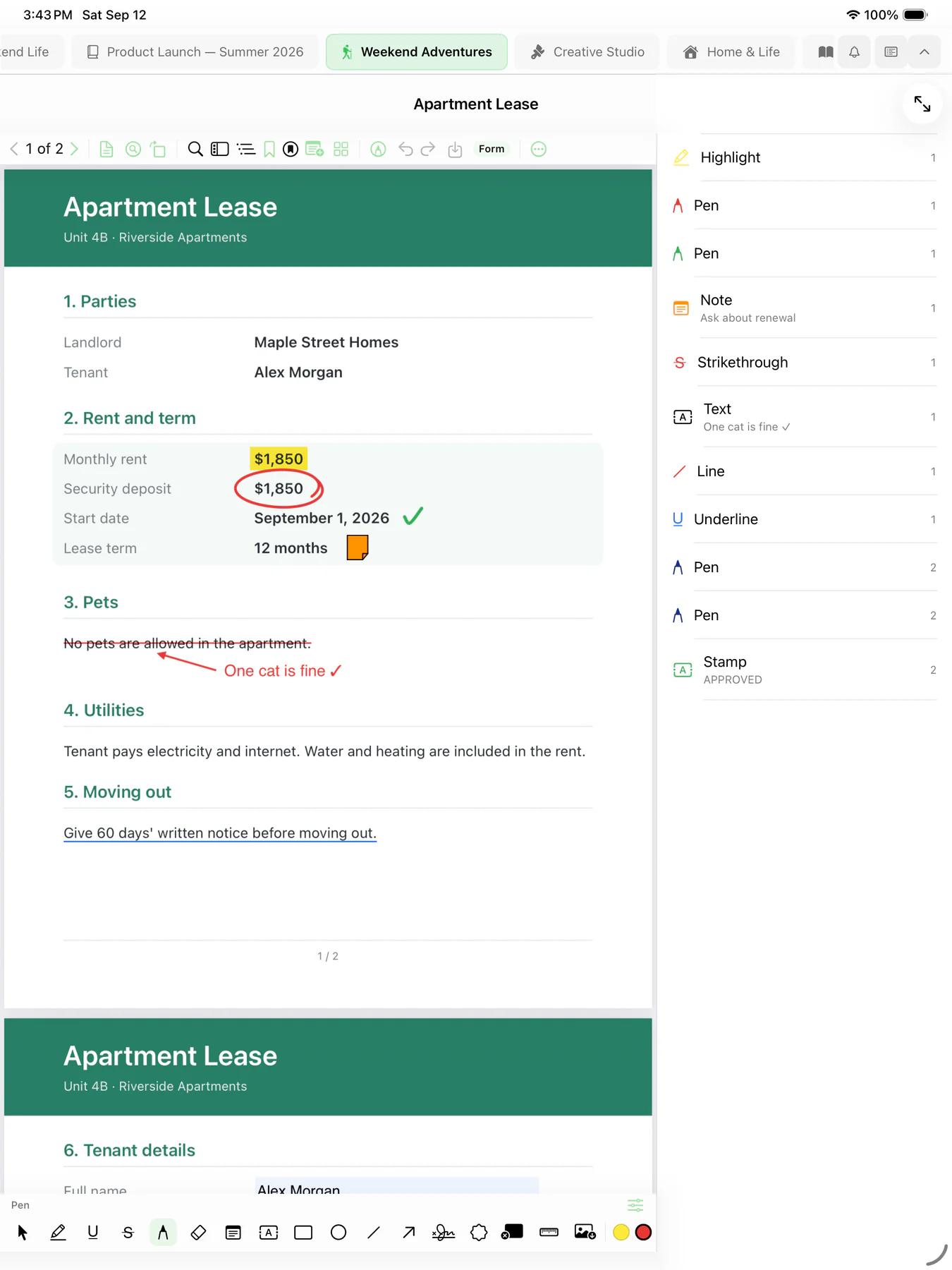

Read anywhere
Import a PDF from Files or the share sheet, or scan a paper document with your camera. Every PDF sits inside a notebook, next to the notes and tasks it belongs with.
- Searchable scans — Mintofu recognizes the text in scanned pages, so you can search and select it
- Find anything — search every word in the document
- Thumbnails, outline, and bookmarks — jump straight to the page you need
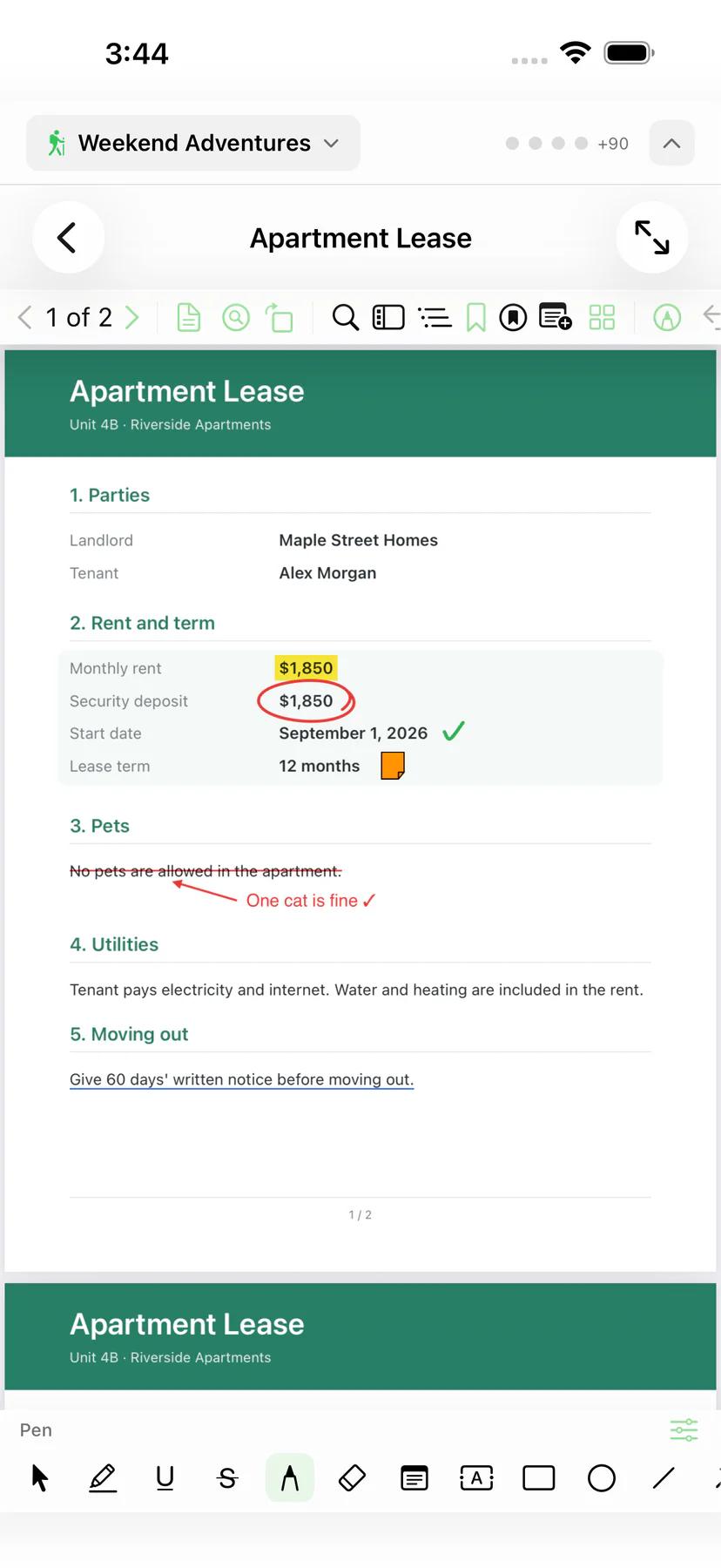

Mark up every page
A full set of annotation tools, tuned for Apple Pencil on iPad and just as easy with a finger or a trackpad. Every mark is listed beside the page, so nothing gets lost.
- Highlight, underline, and strikethrough — mark the passages that matter
- Pen and eraser — write and draw freely, with Apple Pencil on iPad
- Shapes, lines, and arrows — circle a figure or point to a clause
- Sticky notes and text boxes — leave comments right on the page
- Stamps — Approved, Reviewed, or your own saved stamps
- Measure — measure distances on scale drawings
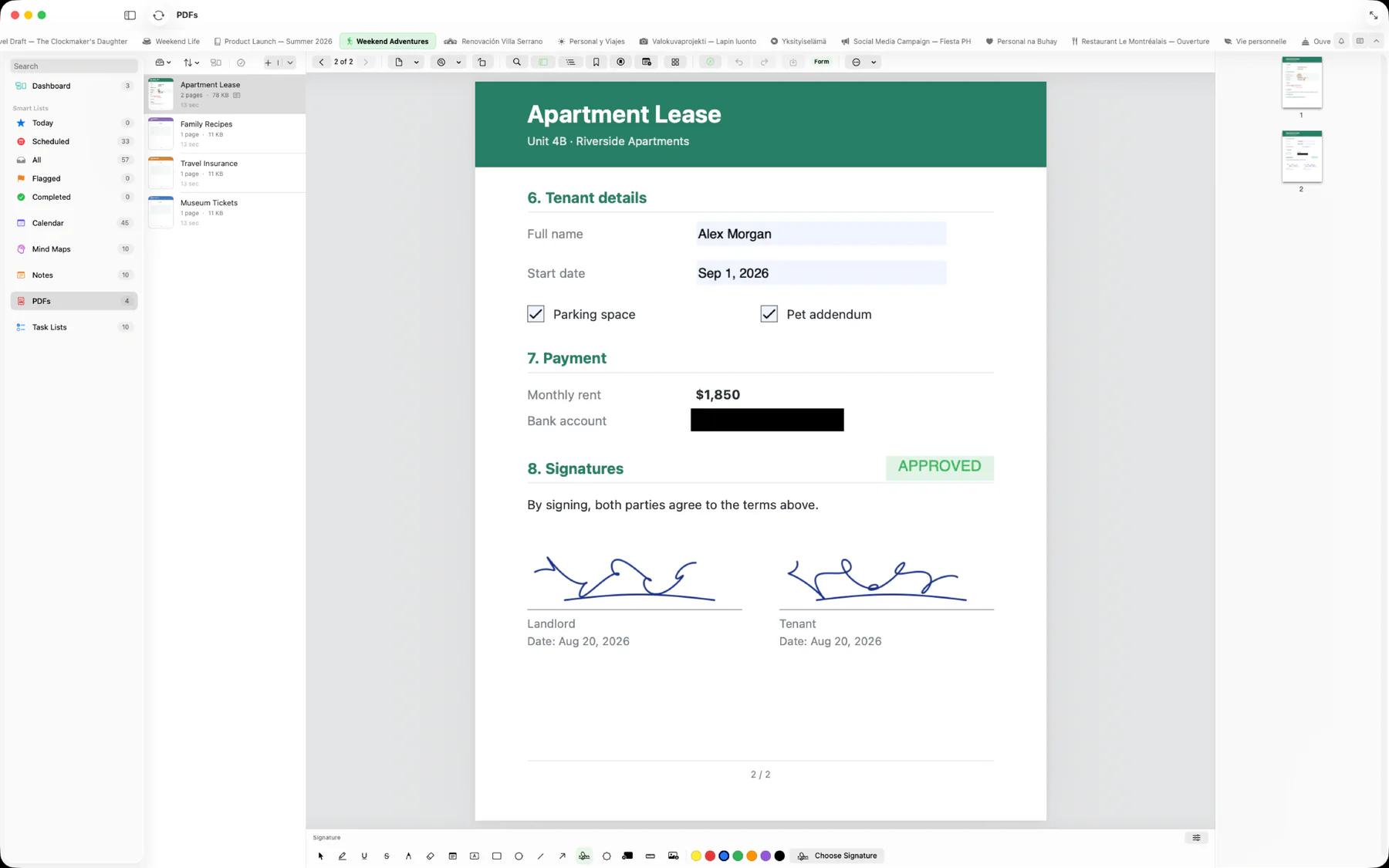
Fill, sign, and redact
Fill in PDF forms — text fields, checkboxes, and dates — and add your saved signature wherever it's needed. With Mintofu+, redact sensitive details so the words are removed from the page, not just covered, and edit the page's own text.
Organize pages
Rotate, reorder, duplicate, and delete pages. Insert a blank page or pages from another PDF, and extract or split a document into separate files.
AI in PDFs
Private, on-device Apple Intelligence works right inside the PDF reader — your document never leaves your device. AI in PDFs shares the daily AI allowance: 2 per day free, unlimited with Mintofu+.
- Translate — select a passage and translate it
- Generate — write something new from the selection and the page around it
- Summarize — summarize the whole document page by page, no selection needed
- Keep the result — as a note on the page, a sticky note on each page, or a separate Mintofu note
Free and Mintofu+
Free includes up to 3 PDF documents, with reading, markup, forms, signatures, and page tools. Mintofu+ makes PDF documents unlimited and adds redaction and text editing.