2:I[8906,["464","static/chunks/framer-motion-683a214cab4d57c4.js","599","static/chunks/599-8465e1dff60434be.js","319","static/chunks/319-901397feb83128ae.js","990","static/chunks/app/%5Blocale%5D/features/%5Bslug%5D/page-105b5bd5456b2870.js"],"DeepDiveContent"]
3:I[4707,[],""]
6:I[6423,[],""]
4:["locale","en","d"]
5:["slug","dashboards","d"]
0:["qCyWLBKUmR_5ITtYXRmpz",[[["",{"children":[["locale","en","d"],{"children":["features",{"children":[["slug","dashboards","d"],{"children":["__PAGE__?{\"locale\":\"en\",\"slug\":\"dashboards\"}",{}]}]}]}]},"$undefined","$undefined",true],["",{"children":[["locale","en","d"],{"children":["features",{"children":[["slug","dashboards","d"],{"children":["__PAGE__",{},[["$L1",["$","$L2",null,{"slug":"dashboards"}],null],null],null]},[null,["$","$L3",null,{"parallelRouterKey":"children","segmentPath":["children","$4","children","features","children","$5","children"],"error":"$undefined","errorStyles":"$undefined","errorScripts":"$undefined","template":["$","$L6",null,{}],"templateStyles":"$undefined","templateScripts":"$undefined","notFound":"$undefined","notFoundStyles":"$undefined"}]],null]},[null,["$","$L3",null,{"parallelRouterKey":"children","segmentPath":["children","$4","children","features","children"],"error":"$undefined","errorStyles":"$undefined","errorScripts":"$undefined","template":["$","$L6",null,{}],"templateStyles":"$undefined","templateScripts":"$undefined","notFound":"$undefined","notFoundStyles":"$undefined"}]],null]},[[[["$","link","0",{"rel":"stylesheet","href":"/_next/static/css/5d8d087637deeabe.css","precedence":"next","crossOrigin":"$undefined"}]],"$L7"],null],null]},[[[["$","link","0",{"rel":"stylesheet","href":"/_next/static/css/7386a35c103a50d5.css","precedence":"next","crossOrigin":"$undefined"}]],["$","$L3",null,{"parallelRouterKey":"children","segmentPath":["children"],"error":"$undefined","errorStyles":"$undefined","errorScripts":"$undefined","template":["$","$L6",null,{}],"templateStyles":"$undefined","templateScripts":"$undefined","notFound":"$L8","notFoundStyles":[]}]],null],null],["$L9",null]]]]
8:E{"digest":"NEXT_REDIRECT;replace;/en;307;"}
7:["$","html",null,{"lang":"en","dir":"ltr","className":"__variable_1b85de","children":[["$","head",null,{"children":[["$","script",null,{"type":"application/ld+json","dangerouslySetInnerHTML":{"__html":"{\"@context\":\"https://schema.org\",\"@type\":\"Organization\",\"name\":\"Mintofu\",\"url\":\"https://mintofu.ai\",\"logo\":\"https://mintofu.ai/images/og-placeholder.png\",\"sameAs\":[\"https://apps.apple.com/us/app/mintofu-notes-tasks-mind-maps/id6765953174\"]}"}}],["$","link",null,{"rel":"preconnect","href":"https://fonts.googleapis.com"}],["$","link",null,{"rel":"preconnect","href":"https://fonts.gstatic.com","crossOrigin":"anonymous"}],["$","link",null,{"rel":"preconnect","href":"https://apps.apple.com"}],["$","link",null,{"rel":"icon","href":"/favicon.ico","sizes":"any"}],["$","link",null,{"rel":"icon","href":"/icon.svg","type":"image/svg+xml"}],["$","link",null,{"rel":"apple-touch-icon","sizes":"180x180","href":"/apple-touch-icon.png"}],["$","link",null,{"rel":"apple-touch-icon","sizes":"152x152","href":"/apple-touch-icon-152x152.png"}],["$","link",null,{"rel":"apple-touch-icon","sizes":"120x120","href":"/apple-touch-icon-120x120.png"}],["$","meta",null,{"name":"apple-mobile-web-app-title","content":"Mintofu"}],["$","meta",null,{"name":"theme-color","content":"#B8E6B8"}],["$","meta",null,{"name":"apple-itunes-app","content":"app-id=6765953174"}],null,["$","link",null,{"rel":"manifest","href":"/manifest.json"}]]}],["$","body",null,{"className":"__className_1b85de min-h-screen bg-cream-light font-sans antialiased","children":"$La"}]]}]
9:[["$","meta","0",{"name":"viewport","content":"width=device-width, initial-scale=1, maximum-scale=5"}],["$","meta","1",{"name":"theme-color","media":"(prefers-color-scheme: light)","content":"#B8E6B8"}],["$","meta","2",{"name":"theme-color","media":"(prefers-color-scheme: dark)","content":"#3F741C"}],["$","meta","3",{"charSet":"utf-8"}],["$","title","4",{"children":"Productivity Dashboards for Mac, iPad & iPhone — Mintofu | Mintofu"}],["$","meta","5",{"name":"description","content":"Build personalized dashboards in Mintofu with overview grids, kanban boards, and post boards. Track tasks, notes, and events in one view — plus Home Screen and Lock Screen widgets with Quick Capture. Free, on iPhone, iPad & Mac."}],["$","meta","6",{"name":"application-name","content":"Mintofu"}],["$","meta","7",{"name":"author","content":"Mintofu"}],["$","meta","8",{"name":"keywords","content":"all-in-one productivity app,notes and tasks app,notes app,task management,mind mapping,calendar app,mind map app,daily planner app,kanban board iOS,AI notes app,on-device AI productivity,Apple Intelligence notes,productivity app,iPhone app,iPad app,Mac app,iPad productivity app,Mac note-taking app,mintofu,iCloud sync,Apple Pencil"}],["$","meta","9",{"name":"creator","content":"Mintofu"}],["$","meta","10",{"name":"publisher","content":"Mintofu"}],["$","meta","11",{"name":"robots","content":"index, follow"}],["$","meta","12",{"name":"googlebot","content":"index, follow, max-video-preview:-1, max-image-preview:large, max-snippet:-1"}],["$","meta","13",{"name":"category","content":"productivity"}],["$","link","14",{"rel":"canonical","href":"https://mintofu.ai/features/dashboards"}],["$","link","15",{"rel":"alternate","hrefLang":"en","href":"https://mintofu.ai/features/dashboards"}],["$","link","16",{"rel":"alternate","hrefLang":"zh-Hans","href":"https://mintofu.ai/zh-Hans/features/dashboards"}],["$","link","17",{"rel":"alternate","hrefLang":"zh-Hant","href":"https://mintofu.ai/zh-Hant/features/dashboards"}],["$","link","18",{"rel":"alternate","hrefLang":"ja","href":"https://mintofu.ai/ja/features/dashboards"}],["$","link","19",{"rel":"alternate","hrefLang":"ko","href":"https://mintofu.ai/ko/features/dashboards"}],["$","link","20",{"rel":"alternate","hrefLang":"de","href":"https://mintofu.ai/de/features/dashboards"}],["$","link","21",{"rel":"alternate","hrefLang":"fr","href":"https://mintofu.ai/fr/features/dashboards"}],["$","link","22",{"rel":"alternate","hrefLang":"es","href":"https://mintofu.ai/es/features/dashboards"}],["$","link","23",{"rel":"alternate","hrefLang":"pt-BR","href":"https://mintofu.ai/pt-BR/features/dashboards"}],["$","link","24",{"rel":"alternate","hrefLang":"pt-PT","href":"https://mintofu.ai/pt-PT/features/dashboards"}],["$","link","25",{"rel":"alternate","hrefLang":"it","href":"https://mintofu.ai/it/features/dashboards"}],["$","link","26",{"rel":"alternate","hrefLang":"nl","href":"https://mintofu.ai/nl/features/dashboards"}],["$","link","27",{"rel":"alternate","hrefLang":"ru","href":"https://mintofu.ai/ru/features/dashboards"}],["$","link","28",{"rel":"alternate","hrefLang":"ar","href":"https://mintofu.ai/ar/features/dashboards"}],["$","link","29",{"rel":"alternate","hrefLang":"th","href":"https://mintofu.ai/th/features/dashboards"}],["$","link","30",{"rel":"alternate","hrefLang":"vi","href":"https://mintofu.ai/vi/features/dashboards"}],["$","link","31",{"rel":"alternate","hrefLang":"id","href":"https://mintofu.ai/id/features/dashboards"}],["$","link","32",{"rel":"alternate","hrefLang":"ms","href":"https://mintofu.ai/ms/features/dashboards"}],["$","link","33",{"rel":"alternate","hrefLang":"tr","href":"https://mintofu.ai/tr/features/dashboards"}],["$","link","34",{"rel":"alternate","hrefLang":"pl","href":"https://mintofu.ai/pl/features/dashboards"}],["$","link","35",{"rel":"alternate","hrefLang":"uk","href":"https://mintofu.ai/uk/features/dashboards"}],["$","link","36",{"rel":"alternate","hrefLang":"cs","href":"https://mintofu.ai/cs/features/dashboards"}],["$","link","37",{"rel":"alternate","hrefLang":"sk","href":"https://mintofu.ai/sk/features/dashboards"}],["$","link","38",{"rel":"alternate","hrefLang":"hu","href":"https://mintofu.ai/hu/features/dashboards"}],["$","link","39",{"rel":"alternate","hrefLang":"ro","href":"https://mintofu.ai/ro/features/dashboards"}],["$","link","40",{"rel":"alternate","hrefLang":"el","href":"https://mintofu.ai/el/features/dashboards"}],["$","link","41",{"rel":"alternate","hrefLang":"he","href":"https://mintofu.ai/he/features/dashboards"}],["$","link","42",{"rel":"alternate","hrefLang":"da","href":"https://mintofu.ai/da/features/dashboards"}],["$","link","43",{"rel":"alternate","hrefLang":"fi","href":"https://mintofu.ai/fi/features/dashboards"}],["$","link","44",{"rel":"alternate","hrefLang":"no","href":"https://mintofu.ai/no/features/dashboards"}],["$","link","45",{"rel":"alternate","hrefLang":"sv","href":"https://mintofu.ai/sv/features/dashboards"}],["$","link","46",{"rel":"alternate","hrefLang":"ca","href":"https://mintofu.ai/ca/features/dashboards"}],["$","link","47",{"rel":"alternate","hrefLang":"hr","href":"https://mintofu.ai/hr/features/dashboards"}],["$","link","48",{"rel":"alternate","hrefLang":"hi","href":"https://mintofu.ai/hi/features/dashboards"}],["$","link","49",{"rel":"alternate","hrefLang":"x-default","href":"https://mintofu.ai/features/dashboards"}],["$","meta","50",{"name":"format-detection","content":"telephone=no, address=no, email=no"}],["$","meta","51",{"name":"apple-mobile-web-app-capable","content":"yes"}],["$","meta","52",{"name":"apple-mobile-web-app-title","content":"Mintofu"}],["$","meta","53",{"name":"apple-mobile-web-app-status-bar-style","content":"default"}],["$","meta","54",{"property":"og:title","content":"Mintofu Dashboards — Your Command Center"}],["$","meta","55",{"property":"og:description","content":"Build personalized dashboards in Mintofu with overview grids, kanban boards, and post boards. Track tasks, notes, and events in one view — plus Home Screen and Lock Screen widgets with Quick Capture. Free, on iPhone, iPad & Mac."}],["$","meta","56",{"property":"og:url","content":"https://mintofu.ai/features/dashboards"}],["$","meta","57",{"property":"og:site_name","content":"Mintofu"}],["$","meta","58",{"property":"og:locale","content":"en"}],["$","meta","59",{"property":"og:image:alt","content":"Mintofu Feature"}],["$","meta","60",{"property":"og:image:type","content":"image/png"}],["$","meta","61",{"property":"og:image","content":"https://mintofu.ai/en/features/dashboards/opengraph-image?5c7281a2f2045334"}],["$","meta","62",{"property":"og:image:width","content":"1200"}],["$","meta","63",{"property":"og:image:height","content":"630"}],["$","meta","64",{"property":"og:locale:alternate","content":"zh_Hans"}],["$","meta","65",{"property":"og:locale:alternate","content":"zh_Hant"}],["$","meta","66",{"property":"og:locale:alternate","content":"ja"}],["$","meta","67",{"property":"og:locale:alternate","content":"ko"}],["$","meta","68",{"property":"og:locale:alternate","content":"de"}],["$","meta","69",{"property":"og:locale:alternate","content":"fr"}],["$","meta","70",{"property":"og:locale:alternate","content":"es"}],["$","meta","71",{"property":"og:locale:alternate","content":"pt_BR"}],["$","meta","72",{"property":"og:locale:alternate","content":"pt_PT"}],["$","meta","73",{"property":"og:locale:alternate","content":"it"}],["$","meta","74",{"property":"og:locale:alternate","content":"nl"}],["$","meta","75",{"property":"og:locale:alternate","content":"ru"}],["$","meta","76",{"property":"og:locale:alternate","content":"ar"}],["$","meta","77",{"property":"og:locale:alternate","content":"th"}],["$","meta","78",{"property":"og:locale:alternate","content":"vi"}],["$","meta","79",{"property":"og:locale:alternate","content":"id"}],["$","meta","80",{"property":"og:locale:alternate","content":"ms"}],["$","meta","81",{"property":"og:locale:alternate","content":"tr"}],["$","meta","82",{"property":"og:locale:alternate","content":"pl"}],["$","meta","83",{"property":"og:locale:alternate","content":"uk"}],["$","meta","84",{"property":"og:locale:alternate","content":"cs"}],["$","meta","85",{"property":"og:locale:alternate","content":"sk"}],["$","meta","86",{"property":"og:locale:alternate","content":"hu"}],["$","meta","87",{"property":"og:locale:alternate","content":"ro"}],["$","meta","88",{"property":"og:locale:alternate","content":"el"}],["$","meta","89",{"property":"og:locale:alternate","content":"he"}],["$","meta","90",{"property":"og:locale:alternate","content":"da"}],["$","meta","91",{"property":"og:locale:alternate","content":"fi"}],["$","meta","92",{"property":"og:locale:alternate","content":"no"}],["$","meta","93",{"property":"og:locale:alternate","content":"sv"}],["$","meta","94",{"property":"og:locale:alternate","content":"ca"}],["$","meta","95",{"property":"og:locale:alternate","content":"hr"}],["$","meta","96",{"property":"og:locale:alternate","content":"hi"}],["$","meta","97",{"property":"og:type","content":"website"}],["$","meta","98",{"name":"twitter:card","content":"summary_large_image"}],["$","meta","99",{"name":"twitter:creator","content":"@mintofu"}],["$","meta","100",{"name":"twitter:title","content":"Mintofu Dashboards — Your Command Center"}],["$","meta","101",{"name":"twitter:description","content":"Build personalized dashboards in Mintofu with overview grids, kanban boards, and post boards. Track tasks, notes, and events in one view — plus Home Screen and Lock Screen widgets with Quick Capture. Free, on iPhone, iPad & Mac."}],["$","meta","102",{"name":"twitter:image:alt","content":"Mintofu Feature"}],["$","meta","103",{"name":"twitter:image:type","content":"image/png"}],["$","meta","104",{"name":"twitter:image","content":"https://mintofu.ai/en/features/dashboards/opengraph-image?5c7281a2f2045334"}],["$","meta","105",{"name":"twitter:image:width","content":"1200"}],["$","meta","106",{"name":"twitter:image:height","content":"630"}],["$","link","107",{"rel":"icon","href":"/favicon.ico"}],["$","link","108",{"rel":"icon","href":"/mintofu-icon.svg","type":"image/svg+xml"}],["$","link","109",{"rel":"apple-touch-icon","href":"/mintofu-icon.svg"}],["$","meta","110",{"name":"next-size-adjust"}]]
1:null
b:I[6456,["203","static/chunks/app/%5Blocale%5D/layout-f5b441473040a9dd.js"],"default"]
d:I[606,["464","static/chunks/framer-motion-683a214cab4d57c4.js","599","static/chunks/599-8465e1dff60434be.js","82","static/chunks/app/%5Blocale%5D/not-found-131e9c2ac6a73be0.js"],"NotFoundContent"]
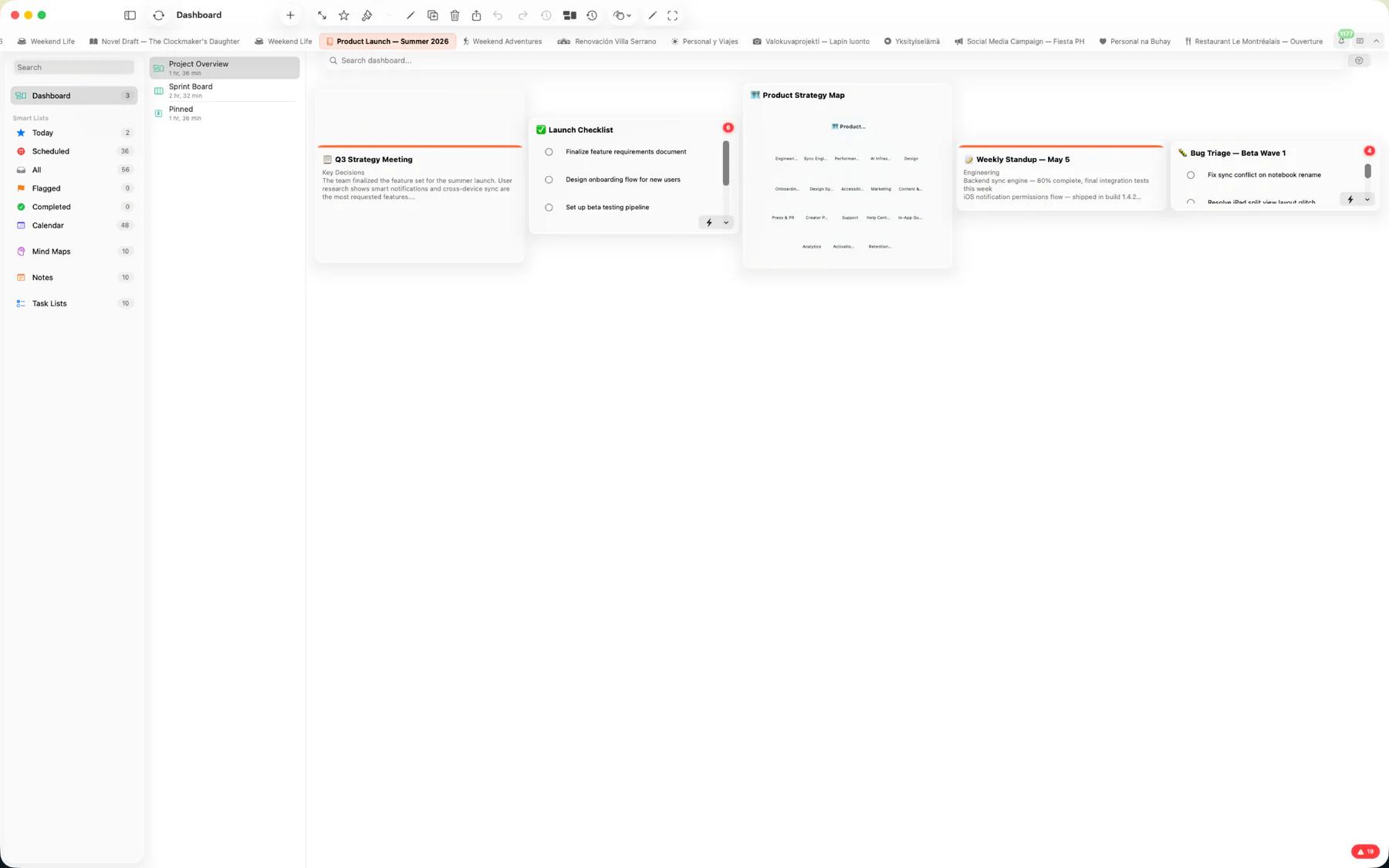
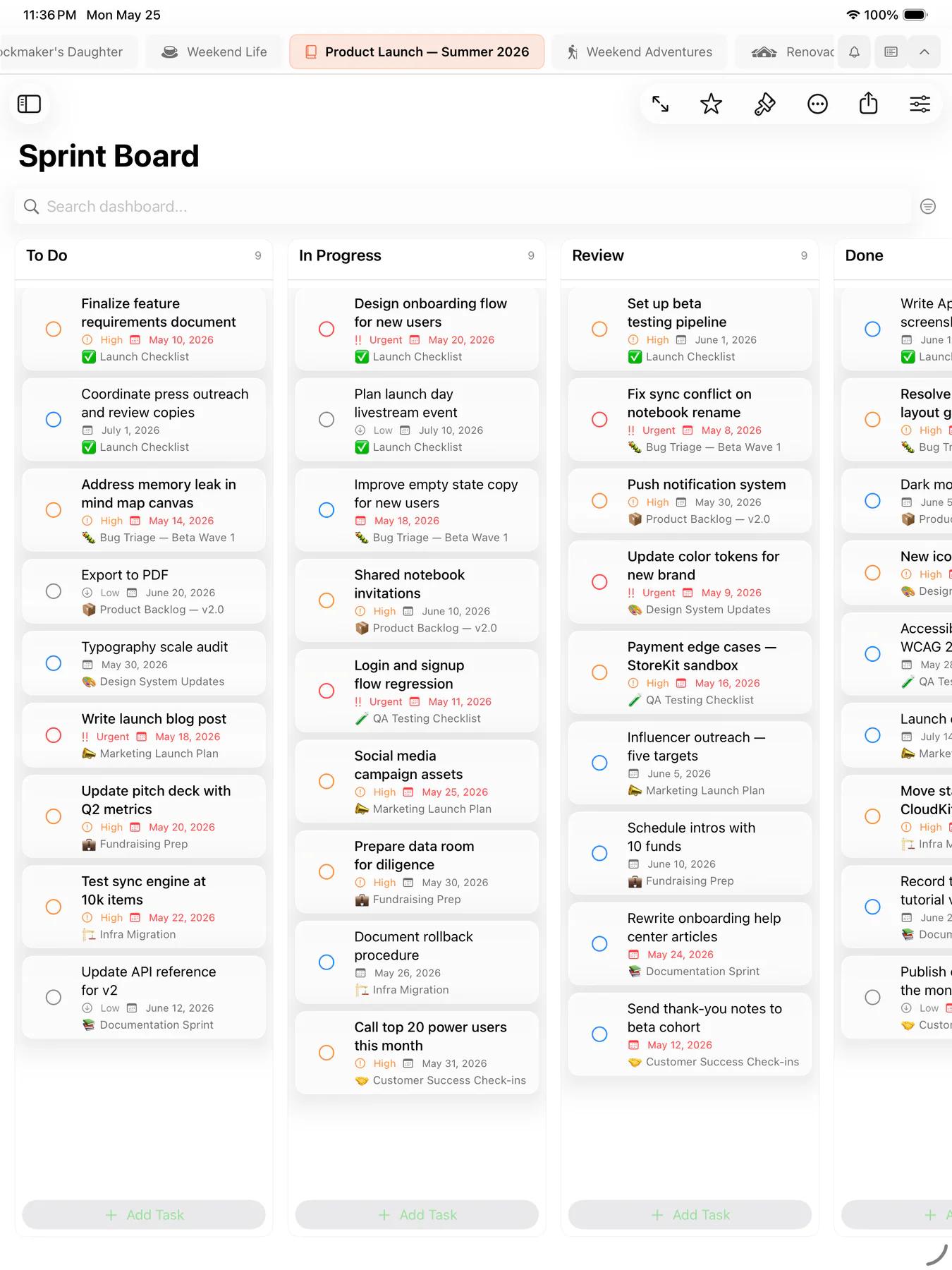
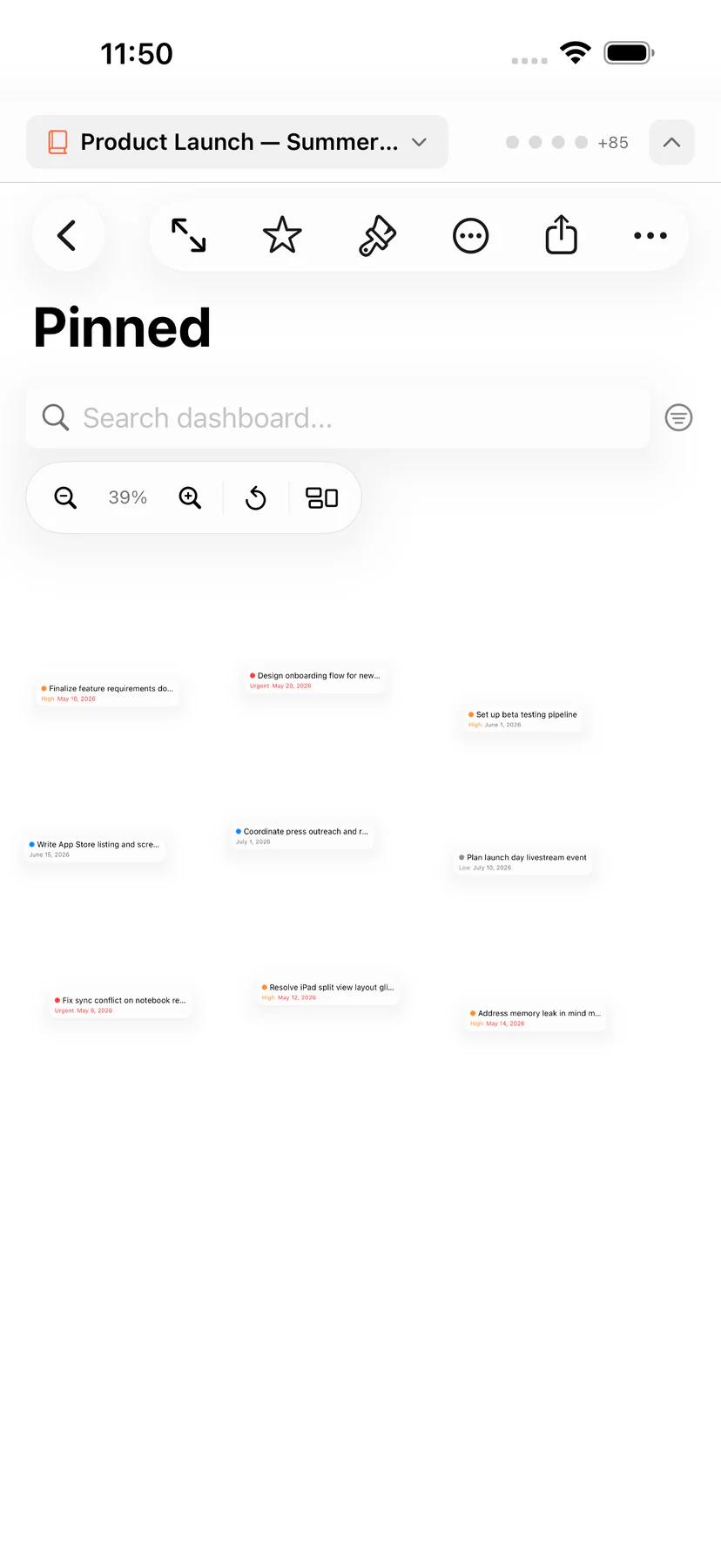
c:T69c,Mintofu is a modern, cross-platform productivity application that unifies mind mapping, note-taking, task management, and calendar planning into a cohesive workspace. Built with SwiftUI and optimized for Apple platforms, it runs natively on iPhone (iOS 18+), iPad (iPadOS 18+), and Mac (macOS 15+) with over 95% shared code across devices. The rich text editor features bold, italic, headings, colors, highlights, font selection, live markdown preview, audio notes with on-device transcription, and full Apple Pencil support on iPad with pens, pencils, crayons, and ruler guides. Task management includes priority levels, due dates, subtasks, time tracking, natural language date parsing, reminders, an Eisenhower Matrix, and Smart Lists with custom filter rules. The interactive mind map canvas supports drag-and-drop nodes, branching hierarchies, rich media, Markdown import, and one-tap conversion to notes or tasks. A unified calendar displays tasks and events together across monthly, weekly, daily, and timeline views, with public holidays for your region and a productivity heatmap to visualize how busy your time is. Home Screen and Lock Screen widgets — including Quick Capture — keep notes, tasks, mind maps, calendar, and dashboards a glance away. All content syncs seamlessly through iCloud with full offline support. On-device AI, powered by Apple Intelligence, provides content generation, brainstorming, and conversion without sending data to external servers. Mintofu is free forever with unlimited notes, task lists, and calendar events. Mintofu+ unlocks unlimited notebooks, mind maps, and audio notes, unlimited AI invocations, and public holidays for multiple regions.a:["$","$Lb",null,{"locale":"en","now":"$D2026-08-08T03:34:17.386Z","timeZone":"UTC","messages":{"metadata":{"title":"Mintofu — Notes, Tasks, Mind Maps & Calendar with AI","description":"The all-in-one productivity app for notes, tasks, mind maps, and calendar — with private on-device AI. Free forever for iPhone, iPad & Mac.","privacy":{"title":"Privacy Policy - Mintofu","description":"Learn how Mintofu collects, uses, and protects your personal data. Our privacy policy explains your rights and our commitment to data security."},"terms":{"title":"Terms of Use - Mintofu","description":"Read the Terms of Use for Mintofu, covering your rights and obligations when accessing or using the app and our services."}},"nav":{"home":"Home","features":"Features","pricing":"Pricing","faq":"FAQ","download":"Download","relatedFeatures":"Related features","featureSubmenu":{"notes":"Notes","tasks":"Tasks","mind-maps":"Mind Maps","calendar":"Calendar","dashboards":"Dashboards","ai-features":"AI Features","sync":"Sync","export":"Export & Sharing","convert":"Convert Anything"}},"hero":{"headline":"One app for every idea.","subheadline":"The all-in-one productivity app for notes, tasks, mind maps, and calendar — with private on-device AI, beautifully unified across iPhone, iPad, and Mac. Free forever. No account required.","ctaPrimary":"Download on the App Store","ctaSecondary":"See what's inside","comingSoon":"Coming Soon","scrollIndicator":"Scroll to explore","heroVisualAlt":"Mintofu running on Mac, iPad, and iPhone — showing the note editor, mind map canvas, and task list with priorities"},"socialProof":{"reviews":[{"quote":"The only productivity app I need.","attribution":"App Store Review"},{"quote":"Finally, notes and tasks in the same place.","attribution":"App Store Review"}],"starRating":"4.X stars on the App Store","starLabel":"4.X out of 5 stars","multiLanguageBadge":"Multi-language support","deviceBadge":"iPhone, iPad, Mac — one app, everywhere"},"featuresOverview":{"headline":"Notes, tasks, mind maps, calendar, and AI — finally in one app.","cards":{"notes":{"title":"Write without limits.","description":"A clean, distraction-free editor that adapts to your thinking. Format with bold, italic, headings, colors, and highlights. Choose your font and style. Toggle live markdown preview to see your note rendered in real time. Record audio notes and transcribe them to text without stopping typing. Translate entire notes or selected text into another language. On iPad, sketch ideas with Apple Pencil using pens, pencils, crayons, and ruler guides.","ctaText":"Explore the Mintofu note editor","relatedLabel":"Related features","relatedLinks":[{"slug":"mind-maps","text":"Mind mapping on iPad & Mac"},{"slug":"export","text":"Export notes to PDF & Markdown"}],"imageAlt":"Mintofu note editor with rich text formatting"},"tasks":{"title":"Get things done.","description":"Create task lists with priorities, due dates, subtasks, and reminders. Track time with a built-in timer, stay on task with a Focus timer, and set dates naturally by typing \"next Friday.\" Visualize priorities with the Eisenhower Matrix, build Smart Lists that surface what matters most, and earn achievement badges as you ship work.","ctaText":"Explore Mintofu task management","relatedLabel":"Related features","relatedLinks":[{"slug":"calendar","text":"Unified calendar with tasks & events"},{"slug":"convert","text":"Convert tasks to mind maps & notes"}],"imageAlt":"Mintofu task list with priorities and due dates"},"mind-maps":{"title":"See the big picture.","description":"Brainstorm on an interactive canvas. Drag and drop nodes, build branching hierarchies, and add images and text. Import Markdown files to turn existing outlines into mind maps. When the brainstorm is over, convert your mind map into a note or task list with one tap.","ctaText":"Explore Mintofu mind mapping","relatedLabel":"Related features","relatedLinks":[{"slug":"notes","text":"Note editor with rich formatting"},{"slug":"convert","text":"Convert mind maps to notes & tasks"}],"imageAlt":"Mintofu mind map canvas with connected nodes"},"calendar":{"title":"Plan your time.","description":"See tasks and events together in a unified calendar. Switch between monthly, weekly, daily, and timeline views. Show public holidays for your region across every view. Visualize productivity patterns with a heatmap. Create events with locations, recurrence, and reminders.","ctaText":"Explore the Mintofu calendar","relatedLabel":"Related features","relatedLinks":[{"slug":"tasks","text":"Task management with reminders"},{"slug":"sync","text":"Sync across iPhone, iPad & Mac"}],"imageAlt":"Mintofu calendar with monthly view and event indicators"},"dashboards":{"title":"Your command center.","description":"Build personalized dashboards with overview grids, kanban boards, or post boards. Add widgets for notes, tasks, mind maps, and upcoming events — all resizable and rearrangeable. Take it further with Home Screen and Lock Screen widgets, including Quick Capture.","ctaText":"Explore Mintofu dashboards","relatedLabel":"Related features","relatedLinks":[{"slug":"tasks","text":"Task management with Smart Lists"},{"slug":"calendar","text":"Calendar & event planning"}],"imageAlt":"Mintofu dashboard with kanban board and widgets"},"convert":{"title":"Turn ideas into action.","description":"Notes become tasks. Tasks become mind maps. Mind maps become plans on your calendar. Reshape your work as your thinking evolves — Mintofu preserves every detail through every conversion.","ctaText":"Explore content conversion in Mintofu","relatedLabel":"Related features","relatedLinks":[{"slug":"notes","text":"Note editor with rich formatting"},{"slug":"mind-maps","text":"Mind mapping on iPad & Mac"}],"imageAlt":"Mintofu converting a mind map into a task list"},"ai-features":{"title":"AI that works on your device.","description":"Generate content, brainstorm ideas, and convert between formats — all powered by Apple Intelligence on your device. Your notes and tasks never leave your hardware.","ctaText":"Explore Mintofu AI features","relatedLabel":"Related features","relatedLinks":[{"slug":"notes","text":"Note editor with rich formatting"},{"slug":"tasks","text":"Task management with Smart Lists"}],"imageAlt":"Mintofu AI brainstorm session interface"},"sync":{"title":"Start on iPhone. Continue on Mac.","description":"Mintofu syncs everything across all your Apple devices through iCloud. No account to create, no login required. Works offline — syncs automatically when you're back online.","ctaText":"Explore Mintofu cross-platform sync","relatedLabel":"Related features","relatedLinks":[{"slug":"calendar","text":"Calendar & event planning"},{"slug":"export","text":"Export to PDF, Markdown & more"}],"imageAlt":"Mintofu syncing across iPhone, iPad, and Mac"}}},"pricing":{"headline":"Start free. Upgrade when you're ready.","intro":"Most productivity apps lock the basics. Mintofu doesn't. Unlimited notes, unlimited task lists, and a full calendar — all free, forever. No trial, no time limit.","table":{"headers":{"feature":"Feature","free":"Free","plus":"Mintofu+"},"rows":[{"label":"Notebooks","free":"2","plus":"Unlimited"},{"label":"Mind maps","free":"3","plus":"Unlimited"},{"label":"Audio notes","free":"3","plus":"Unlimited"},{"label":"Notes","free":"Unlimited","plus":"Unlimited"},{"label":"Task lists","free":"Unlimited","plus":"Unlimited"},{"label":"Calendar & Events","free":"Full","plus":"Full"},{"label":"Public holidays","free":"1 region","plus":"Multiple regions"},{"label":"Dashboards","free":"Full","plus":"Full"},{"label":"Note editor","free":"Full","plus":"Full"},{"label":"Smart Lists","free":"Full","plus":"Full"},{"label":"Export (PDF, Markdown, Image, ICS)","free":"Full","plus":"Full"},{"label":"Notifications & Reminders","free":"Full","plus":"Full"},{"label":"iCloud sync","free":"Full","plus":"Full"},{"label":"AI invocations","free":"2/day","plus":"Unlimited"},{"label":"Translations","free":"2/day","plus":"Unlimited"},{"label":"Price","free":"Free forever","plus":"$$2.99/mo · $19.99/yr · $49.99 lifetime"}]},"cta":{"title":"Unlock everything with Mintofu+.","description":"Choose monthly, annual, or a one-time lifetime purchase. All plans include the same features — pick the billing that works for you.","monthly":"Monthly — Full flexibility","monthlyPrice":"$$2.99/month","annual":"Annual — The best value for committed users","annualPrice":"$$19.99/year","annualBadge":"Recommended","lifetime":"Lifetime — Pay once, own it forever","lifetimePrice":"$$49.99 one-time"},"downloadCta":"Download Mintofu","downloadSubtext":"start free, upgrade anytime","regionalPricingNotice":"Prices shown in USD. See the App Store for pricing in your region."},"faq":{"title":"Frequently Asked Questions","intro":"Answers to common questions about Mintofu — features, privacy, pricing, and Mintofu+.","categories":{"general":{"title":"General","questions":[{"question":"What is Mintofu?","answer":"Mintofu is the all-in-one productivity app for iPhone, iPad, and Mac that combines note-taking, task management, mind mapping, and calendar planning in a single workspace — with private on-device AI. Create notes with a rich text editor, manage tasks with priorities and reminders, brainstorm with interactive mind maps, and plan your schedule with a unified calendar — all seamlessly synced across your Apple devices through iCloud."},{"question":"Which devices does Mintofu support?","answer":"Mintofu runs on iPhone (iOS 18+), iPad (iPadOS 18+), and Mac (macOS 15+). Your content syncs automatically across all devices through iCloud."},{"question":"Is Mintofu free?","answer":"Yes. Mintofu is free to download and use. The free tier includes unlimited notes, task lists, calendar events, Smart Lists, full export, Home Screen widgets, and all three dashboard styles — with up to 2 notebooks, 3 mind maps, and 3 audio notes. Upgrade to Mintofu+ to unlock unlimited notebooks, mind maps, audio notes, AI, and more."}]},"features":{"title":"Features","questions":[{"question":"Can I convert between content types?","answer":"Yes. You can convert a note into a task list, a task list into a mind map, a mind map into a note, or any content type into an event — and back. Mintofu preserves your content through every conversion."},{"question":"What AI features are available?","answer":"Mintofu offers private, on-device AI powered by Apple Intelligence for content generation, interactive brainstorming, and content conversion between notes, tasks, mind maps, and events. AI features require iOS 18.1+ or macOS 15.1+ on supported devices."},{"question":"Does Mintofu work offline?","answer":"Absolutely. All your content is stored locally on your device. Changes sync automatically through iCloud when you're connected. You never need an internet connection to use Mintofu."},{"question":"What export formats are supported?","answer":"You can export content as PDF, Markdown, or Image (PNG). Calendar events can be exported as iCalendar (.ics) files compatible with any calendar app."},{"question":"Does Mintofu support Apple Pencil?","answer":"Yes. On iPad, you can sketch, annotate, and diagram with full Apple Pencil support — including pens, pencils, crayons, variable stroke width, ruler guides, and auto-crop."},{"question":"Does Mintofu support multiple languages?","answer":"Yes. Mintofu is available in 41 languages, including right-to-left scripts like Arabic and Hebrew. Date, time, number, and currency formatting adapts to your region."}]},"privacy":{"title":"Privacy & Data","questions":[{"question":"Where is my data stored?","answer":"Your content is stored locally on your device and synced through your private iCloud container. Mintofu does not have access to your data on any server. Only you can access your content through your Apple ID."},{"question":"Is my data used for AI training?","answer":"No. All AI processing in Mintofu happens entirely on your device using Apple Intelligence. Your content is never sent to external servers for AI processing or training."},{"question":"Can I delete my data permanently?","answer":"All Mintofu users can permanently delete content at any time. The app also has a 30-day recently deleted folder — items are automatically removed after 30 days."}]},"mintofuPlus":{"title":"Mintofu+","questions":[{"question":"What's the difference between Free and Mintofu+?","answer":"Free includes unlimited notes, task lists, events, Smart Lists, full export, all three dashboard styles, Home Screen widgets, and iCloud sync — with limits of 2 notebooks, 3 mind maps, 3 audio notes, public holidays for 1 region, 2 AI generations per day, and 2 translations per day. Mintofu+ removes all limits."},{"question":"Can I try before upgrading?","answer":"The free tier is fully functional for note-taking, task management, calendar planning, and dashboards. You'll know when you want Mintofu+ — more notebooks, more mind maps, or unlimited AI."},{"question":"Do all plans include the same features?","answer":"Yes. Monthly, Annual, and Lifetime plans all unlock the exact same features. The only difference is billing."},{"question":"What happens if my Mintofu+ expires?","answer":"Your existing content is never deleted. You'll retain read access to everything. You'll be limited to the free tier limits for creating new notebooks and mind maps, and daily AI and translation limits will apply."}]}}},"deepDive":{"notes":{"title":"Note Editor","tagline":"A writing experience that gets out of your way.","metaTitle":"Note-Taking App for Mac, iPad & iPhone — Mintofu","metaDescription":"Write without limits in Mintofu's distraction-free note editor. Rich formatting, Apple Pencil drawing, live markdown preview, audio notes with transcription, and translation — all synced via iCloud.","ogTitle":"Mintofu Note Editor — Write Without Limits","intro":"Mintofu's editor is clean, fast, and distraction-free. Just start typing. When you need structure, format with headings, bold, italic, colors, and highlights. The editor adapts to your style — not the other way around.","sections":[{"heading":"Rich text formatting","content":"Format your notes with all the essentials and more.","items":["Bold, italic, underline, strikethrough — all the essentials","Headings — Structure your notes with H1 through H4","Text color and highlighting — Emphasize what matters","Font selection and sizing — Choose the look that works for you","Live markdown preview — Toggle a split view to see your note rendered as markdown in real time","Translation — Translate entire notes or selected text into another language with one tap"]},{"heading":"AI-assisted writing","content":"Mintofu's AI runs on-device through Apple Intelligence, so your notes stay private.","items":["Generate — describe what you want and let AI draft a note for you","Brainstorm — refine ideas in an interactive back-and-forth session with the AI","Convert — turn a note into a task list or mind map without retyping"]},{"heading":"Drawing canvas (iPad)","content":"Sketch, annotate, and diagram with full Apple Pencil support. Choose from pens, pencils, and crayons with variable stroke width and opacity. Use ruler guides for precise diagrams. Auto-crop keeps your drawings tidy."},{"heading":"Works with Apple Writing Tools","content":"Apple's system Writing Tools work right inside the Mintofu editor — proofread, rephrase, or summarize any selection without leaving your note. Requires iOS 18.1+ or macOS 15.1+ on a supported device."},{"heading":"Audio Notes","content":"Record a voice memo right inside your note — and keep typing while it records. When you're done, transcribe the recording to text on your device. Perfect for capturing lectures, meetings, and quick thoughts before they slip away. Free includes up to 3 audio notes; Mintofu+ makes them unlimited."},{"heading":"Media attachments","content":"Attach images, audio, video, and documents directly to your notes."}],"ctaText":"Download Mintofu and start writing","relatedFeatures":[{"slug":"mind-maps","text":"Mind mapping on iPad & Mac"},{"slug":"convert","text":"Convert notes to tasks & mind maps"},{"slug":"export","text":"Export notes to PDF & Markdown"}],"images":[{"variant":"rich-formatting","alt":"Mintofu note editor showing rich text formatting with headings, bold, and color highlights"},{"variant":"drawing-canvas","alt":"Mintofu drawing canvas on iPad with Apple Pencil strokes and ruler guides"}]},"tasks":{"title":"Task Management","tagline":"Task lists that actually keep up with you.","metaTitle":"Task Management App for Mac, iPad & iPhone — Mintofu","metaDescription":"Manage tasks with priorities, due dates, subtasks, reminders, and Smart Lists in Mintofu. Built-in timer, Eisenhower Matrix, and achievements — synced via iCloud.","ogTitle":"Mintofu Task Management — Get Things Done","intro":"Create structured task lists with everything you need to stay organized — and nothing that gets in the way.","sections":[{"heading":"Every task supports","content":"Each task comes with a full set of tools to keep you on track.","items":["Priority levels: low, medium, high, urgent","Due dates with flexible reminders","Subtasks nested to any depth","Time tracking with a built-in start/stop timer","Tags for categorization","Rich notes with the full text editor","Media attachments","Linked calendar events"]},{"heading":"AI-assisted planning","content":"Apple Intelligence runs on-device, so AI can shape your task lists without your data leaving the device.","items":["Generate — describe a goal and AI drafts a structured task list with subtasks and priorities","Brainstorm — refine your list together in a back-and-forth chat with the AI","Convert — turn a task list into a note or mind map without retyping"]},{"heading":"Natural language dates","content":"Type \"next Friday\" or \"tomorrow at 3pm\" and Mintofu suggests the date — tap to accept."},{"heading":"Reminders","content":"Set a reminder for any task with flexible timing — at the time, minutes or hours before, or a custom time."},{"heading":"Task insights","content":"Built-in cards give you a bird's-eye view of your work.","items":["Eisenhower Matrix — Prioritize tasks by urgency and importance in an interactive 2x2 grid","Focus Queue — A curated list of your top-priority tasks to keep you on track","Weekly Planner — See how tasks are distributed across your week","Burndown Chart — Track remaining work and completion velocity","Daily Digest — Start your day with a summary of what's due, overdue, and completed","Achievement Badges — Earn trophies and points as you hit milestones"]},{"heading":"Smart Lists","content":"Create dynamic lists with custom filter rules. Smart Lists automatically gather tasks matching your criteria — like \"High priority due this week\" or \"Flagged tasks with subtasks.\" View activity feeds and summary statistics for each smart list."},{"heading":"Focus timer","content":"A built-in Focus timer keeps you on task with structured work and break sessions, right alongside your task list."},{"heading":"Batch editing","content":"Select multiple tasks at once to update priorities, due dates, tags, or completion status in bulk."},{"heading":"Apple Reminders sync","content":"Connect your Apple Reminders and see them right inside Mintofu alongside your task lists. Updates flow from Reminders into Mintofu automatically — your Reminders stay the source of truth."},{"heading":"Siri & Shortcuts","content":"Add tasks by voice with Siri, or build Shortcuts to create, complete, and organize tasks hands-free as part of larger automations."}],"ctaText":"Download Mintofu and get organized","relatedFeatures":[{"slug":"calendar","text":"Calendar & event planning"},{"slug":"dashboards","text":"Dashboards for task tracking"},{"slug":"convert","text":"Convert tasks to mind maps & notes"}],"images":[{"variant":"task-detail","alt":"Mintofu task detail view showing priority, due date, subtasks, and timer"},{"variant":"smart-lists","alt":"Mintofu Smart Lists with custom filter rules and activity feed"},{"variant":"reminders","alt":"Mintofu task reminder options with flexible timing choices"}]},"mind-maps":{"title":"Mind Maps","tagline":"Brainstorming, visualized.","metaTitle":"Mind Mapping App for Mac, iPad & iPhone — Mintofu","metaDescription":"Brainstorm visually with Mintofu's interactive mind map canvas. Drag-and-drop nodes, import Markdown, and convert mind maps to notes or tasks — synced via iCloud.","ogTitle":"Mintofu Mind Maps — See the Big Picture","intro":"Start with an idea at the center and grow it outward. Mintofu's mind map canvas gives you a freeform space to think visually.","sections":[{"heading":"Interactive canvas","content":"Build and explore mind maps with intuitive controls.","items":["Drag-and-drop nodes — move and rearrange freely on an infinite canvas","Rich content — add text, images, and media to any node","Hierarchies — branch ideas outward from a central topic to organize complex thinking","Import from Markdown — turn an existing outline or .md file into a mind map instantly","Convert to action — when you're done brainstorming, convert your mind map to a note or task list. Every node becomes a paragraph or task, preserving your hierarchy."]},{"heading":"AI brainstorming","content":"On-device Apple Intelligence extends the canvas without sending your ideas anywhere.","items":["Generate — describe a topic and AI drafts a starter mind map you can grow","Brainstorm — refine the map in an interactive back-and-forth session with the AI","Convert — turn a mind map into a note or task list, or grow a new mind map from existing notes and tasks"]}],"ctaText":"Download Mintofu and start brainstorming","relatedFeatures":[{"slug":"notes","text":"Note editor with rich formatting"},{"slug":"convert","text":"Convert mind maps to notes & tasks"},{"slug":"export","text":"Export mind maps as images"}],"images":[{"variant":"full-canvas","alt":"Mintofu mind map with complex branching hierarchy on an infinite canvas"},{"variant":"node-detail","alt":"Mintofu mind map node with attached image and rich text content"},{"variant":"conversion","alt":"Mintofu converting a mind map into a structured task list side by side"}]},"calendar":{"title":"Calendar & Events","tagline":"Your tasks and events, together at last.","metaTitle":"Calendar App with Tasks for Mac, iPad & iPhone — Mintofu","metaDescription":"See tasks and events together in Mintofu's unified calendar. Monthly, weekly, daily, and timeline views — with public holidays for your region, on-device AI scheduling, natural language event creation, and iCloud sync.","ogTitle":"Mintofu Calendar — Your Tasks and Events, Together","intro":"Most calendar apps show events. Most task apps show tasks. Mintofu shows both — in a single, unified calendar.","sections":[{"heading":"Calendar views","content":"Switch between views to match how you plan.","items":["Monthly — see the full month at a glance","Weekly — plan your week with detail","Daily — focus on today's agenda","Timeline — a scrollable chronological view"]},{"heading":"AI-assisted scheduling","content":"On-device Apple Intelligence helps you fill the calendar without lifting a finger.","items":["Generate — describe a plan like \"a 5-day trip to Tokyo\" and AI drafts a series of events","Brainstorm — refine the schedule together in a back-and-forth session with the AI","Convert — turn tasks or notes into calendar events without retyping"]},{"heading":"Events","content":"Create events with titles, start/end times, locations, notes, and recurrence patterns. Type naturally — \"Lunch with Sarah at noon on Thursday\" — and Mintofu parses the date, time, and details for you. Set reminders so you never miss one, and export to iCalendar (.ics) to share with any calendar app."},{"heading":"Device calendar sync","content":"Connect your native device calendars and see those events right alongside your Mintofu tasks. Live sync keeps everything in harmony."},{"heading":"Public holidays","content":"Choose your region in Settings and public holidays appear across every calendar view — so a long weekend never sneaks up on you. Free covers one region; Mintofu+ adds public holidays for multiple regions at once."},{"heading":"Siri & Shortcuts","content":"Create events by voice with Siri, or build Shortcuts to schedule recurring events and automate calendar workflows hands-free."}],"ctaText":"Download Mintofu and plan your time","relatedFeatures":[{"slug":"tasks","text":"Task management with reminders"},{"slug":"sync","text":"Sync across iPhone, iPad & Mac"}],"images":[{"variant":"monthly-overview","alt":"Mintofu calendar monthly view with task and event indicators"},{"variant":"daily-agenda","alt":"Mintofu calendar daily agenda with hour blocks and scheduled tasks"},{"variant":"event-creation","alt":"Mintofu event creation form with natural language date parsing"}]},"dashboards":{"title":"Dashboards","tagline":"See all your work in one view.","metaTitle":"Productivity Dashboards for Mac, iPad & iPhone — Mintofu","metaDescription":"Build personalized dashboards in Mintofu with overview grids, kanban boards, and post boards. Track tasks, notes, and events in one view — plus Home Screen and Lock Screen widgets with Quick Capture. Free, on iPhone, iPad & Mac.","ogTitle":"Mintofu Dashboards — Your Command Center","intro":"Dashboards give you a bird's-eye view of everything happening across your notebooks.","sections":[{"heading":"Three board styles","content":"Choose the layout that fits your workflow.","items":["Overview — A customizable widget grid. Add notes, tasks, mind maps, calendar views, and upcoming events as resizable widgets.","Kanban — Columns for workflow stages. Drag tasks between columns to track progress.","Post Board — A freeform canvas where you pin and arrange tasks visually."]},{"heading":"Built for focus","content":"Dashboards include tools to keep you productive.","items":["Focus mode to hide distractions","Deadline alerts so nothing slips","Analytics charts to track your productivity","Quick actions for common tasks","Full keyboard shortcut support"]},{"heading":"Home Screen & Lock Screen widgets","content":"Keep Mintofu one glance away — add widgets to your Home Screen and Lock Screen for the things you check most.","items":["Quick Capture — jot a note or task straight from your Home Screen, no app launch required","Notes & Mind Maps — pin a note or map where you'll see it","Calendar — today's events and tasks at a glance","Tasks — what's due, front and center","Dashboards — a live snapshot of your dashboard on the Home Screen"]},{"heading":"Free for everyone","content":"All three dashboard styles are included free, on every device."}],"ctaText":"Download Mintofu and build your dashboard","relatedFeatures":[{"slug":"tasks","text":"Task management with Smart Lists"},{"slug":"calendar","text":"Calendar & event planning"}],"images":[{"variant":"overview-grid","alt":"Mintofu dashboard overview with resizable note, task, and calendar widgets"},{"variant":"kanban-board","alt":"Mintofu kanban board with task cards organized in workflow columns"},{"variant":"post-board","alt":"Mintofu post board with pinned and arranged tasks on a freeform canvas"}]},"ai-features":{"title":"AI Features","tagline":"Private, on-device AI.","metaTitle":"On-Device AI for Notes, Tasks & Mind Maps — Mintofu","metaDescription":"Use private, on-device AI in Mintofu to generate content, brainstorm ideas, and convert between formats. Powered by Apple Intelligence — your data never leaves your device.","ogTitle":"Mintofu AI — Private, On-Device Intelligence","intro":"Mintofu's AI features run entirely on your device, powered by Apple Intelligence — your notes, tasks, and ideas never leave your hardware. No external servers, no training data, no tracking.","sections":[{"heading":"What AI can do for you","content":"AI tools that work alongside your content.","items":["Generate content — describe what you need and let AI draft it","Brainstorm — start an interactive session where you and AI refine ideas together, back and forth","Convert content — let AI help transform a note into a task list, or a task list into a mind map"]},{"heading":"Privacy first","content":"All AI processing happens on-device. Your content is never sent to external servers for AI features."},{"heading":"System requirements","content":"AI features require iOS 18.1+ or macOS 15.1+ on supported devices. Free users get 2 AI invocations per day; Mintofu+ members get unlimited."}],"ctaText":"Download Mintofu and try AI features","relatedFeatures":[{"slug":"notes","text":"Note editor with rich formatting"},{"slug":"tasks","text":"Task management with Smart Lists"},{"slug":"convert","text":"Convert between content types"}],"images":[{"variant":"ai-generation","alt":"Mintofu AI generating content from a text prompt"},{"variant":"brainstorm-session","alt":"Mintofu AI brainstorm session with multi-turn conversation"}]},"sync":{"title":"Sync & Cross-Platform","tagline":"Start on iPhone. Continue on iPad. Finish on Mac.","metaTitle":"iCloud Sync for Notes, Tasks & Mind Maps — Mintofu","metaDescription":"Sync notes, tasks, mind maps, and events across iPhone, iPad, and Mac with iCloud. Works offline — no account required. Start on one device, continue on another.","ogTitle":"Mintofu Sync — Start on iPhone, Continue on Mac","intro":"Mintofu syncs everything — notes, tasks, mind maps, events, dashboards, and media — across all your Apple devices through iCloud. No account to create, no login required. If you're signed into iCloud, you're already set up.","sections":[{"heading":"Works offline","content":"Make changes without an internet connection. Mintofu saves everything locally and syncs automatically when you're back online."},{"heading":"Platform highlights","content":"Feature availability across your Apple devices.","items":["Note editor — Full on iPhone, Full + Apple Pencil drawing on iPad, Full on Mac","Mind maps — Touch gestures on iPhone, Touch + Pencil on iPad, Trackpad + mouse on Mac","Keyboard shortcuts — iPad and Mac with full support","Multi-window — Split View on iPad, Multiple windows on Mac","Spotlight search — Available on all devices","Siri & Shortcuts — Voice creation and custom automations across iPhone, iPad, and Mac"]}],"ctaText":"Download Mintofu and sync everywhere","relatedFeatures":[{"slug":"calendar","text":"Calendar & event planning"},{"slug":"export","text":"Export to PDF, Markdown & more"}],"images":[{"variant":"same-content-every-device","alt":"Mintofu showing the same content on iPhone, iPad, and Mac simultaneously"},{"variant":"offline-indicator","alt":"Mintofu working offline with airplane mode indicator and local save confirmation"}]},"export":{"title":"Export & Sharing","tagline":"Your content, your format.","metaTitle":"Export Notes & Tasks to PDF, Markdown & More — Mintofu","metaDescription":"Export notes, tasks, and events from Mintofu as PDF, Markdown, PNG, or iCalendar. Share via AirDrop, email, or Messages — your content, your format.","ogTitle":"Mintofu Export — Your Content, Your Format","intro":"Export anything from Mintofu in the format that works for you.","sections":[{"heading":"Export formats","content":"Choose the format that fits your needs.","items":["PDF — Beautifully formatted documents ready to print or share","Markdown — Clean, portable plain text for developers and writers","Image — High-resolution PNG snapshots of your content","iCalendar (.ics) — Export events for import into any calendar app"]},{"heading":"Sharing","content":"Use the system share sheet to send exports via email, Messages, AirDrop, or any app that accepts shared content."}],"ctaText":"Download Mintofu and export your way","relatedFeatures":[{"slug":"notes","text":"Note editor with rich formatting"},{"slug":"tasks","text":"Task management with Smart Lists"},{"slug":"sync","text":"Sync across iPhone, iPad & Mac"}],"images":[{"variant":"export-options","alt":"Mintofu export dialog showing PDF, Markdown, Image, and iCalendar format options"},{"variant":"pdf-preview","alt":"Mintofu PDF export preview with formatted document ready to share"},{"variant":"share-sheet","alt":"Mintofu share sheet with AirDrop, email, and Messages sharing options"}]},"convert":{"title":"Convert Anything","tagline":"Turn ideas into action.","metaTitle":"Convert Notes, Tasks & Mind Maps — Mintofu","metaDescription":"Convert notes to tasks, tasks to mind maps, and mind maps to notes in Mintofu. One-tap conversion preserves all your content — no detail left behind.","ogTitle":"Mintofu Convert — Turn Ideas into Action","intro":"Ideas don't always start in the right format. A brainstorm becomes a plan. A plan becomes a checklist. A checklist becomes a calendar event. Mintofu lets you convert between content types with one tap — and preserves every detail along the way.","sections":[{"heading":"Supported conversions","content":"Convert between any content type with one tap.","items":["Note → Task list — Each paragraph becomes a task. Headings become section headers. Formatting and attachments carry over.","Task list → Mind map — Tasks become nodes, subtasks become branches. Priority levels map to node colors so you can see what matters at a glance.","Mind map → Note — Every node becomes a paragraph or heading, preserving your hierarchy. Branch structure translates into heading levels and indentation.","Any → Event — Turn a note, task, or mind map into a calendar event. The title and content are carried over; just add a date and time."]},{"heading":"Content preservation","content":"Mintofu maps content intelligently during every conversion. Text formatting, attachments, tags, and hierarchy are preserved wherever the target format supports them. Nothing is silently dropped — if a detail can't be represented in the new format, Mintofu keeps it in the body text so you never lose information."},{"heading":"AI-assisted conversion","content":"On supported devices, Mintofu's on-device AI can help restructure content during conversion — summarizing lengthy notes into concise tasks, or expanding terse task titles into descriptive paragraphs. AI conversion uses Apple Intelligence and runs entirely on your device."},{"heading":"System requirements","content":"AI-assisted conversion requires iOS 18.1+ or macOS 15.1+ on supported devices. Free users get 2 AI invocations per day; Mintofu+ members get unlimited."}],"ctaText":"Download Mintofu and start converting","relatedFeatures":[{"slug":"notes","text":"Note editor with rich formatting"},{"slug":"mind-maps","text":"Mind mapping on iPad & Mac"},{"slug":"tasks","text":"Task management with Smart Lists"}],"images":[{"variant":"note-to-tasks","alt":"Mintofu converting a note into a structured task list"},{"variant":"task-to-mindmap","alt":"Mintofu converting a task list into a visual mind map"},{"variant":"content-preservation","alt":"Mintofu preserving formatting and attachments during content conversion"}]}},"useCases":{"title":"Built for Every Workflow","subtitle":"See how professionals use Mintofu to boost their productivity","developers":{"profession":"Software Developers","headline":"Architect your next project","benefits":["Map system architecture visually","Track bugs and features in one place","Document decisions with rich notes"],"metaTitle":"Mintofu for Developers — Notes, Tasks & Mind Maps","metaDescription":"Organize code architecture with mind maps, track bugs and features with task lists, and document decisions with rich notes — all in Mintofu for iPhone, iPad, and Mac.","ogTitle":"Mintofu for Developers — Architect Your Next Project","pageTitle":"Mintofu for Developers","pageIntro":"Map system architecture visually, track bugs and features in one place, and document decisions with rich notes. Mintofu brings your entire development workflow into a single app.","sections":[{"heading":"Architecture & Design","content":"Use mind maps to visualize system architecture, plan sprints, and map dependencies. Convert your brainstorm into actionable tasks with one tap."},{"heading":"Bug & Feature Tracking","content":"Create task lists with priorities, tags, and due dates. Use Smart Lists to surface high-priority bugs or upcoming feature deadlines automatically."},{"heading":"Documentation","content":"Write technical documentation with rich formatting, code-friendly markdown preview, and media attachments. Export to PDF or Markdown for sharing with your team."}],"ctaText":"Download Mintofu for developers"},"architects":{"profession":"Architects","headline":"Design with clarity","benefits":["Sketch concepts with Apple Pencil","Organize project requirements","Manage client deliverables"]},"creators":{"profession":"Content Creators","headline":"Plan your content pipeline","benefits":["Brainstorm video ideas visually","Schedule your content calendar","Track production tasks"],"metaTitle":"Mintofu for Creators — Notes, Tasks & Mind Maps","metaDescription":"Plan your content pipeline with mind maps, schedule posts with the calendar, and track production tasks — all in Mintofu for iPhone, iPad, and Mac.","ogTitle":"Mintofu for Creators — Plan Your Content Pipeline","pageTitle":"Mintofu for Creators","pageIntro":"Brainstorm video ideas visually, schedule your content calendar, and track production tasks. Mintofu helps creators stay organized from concept to publish.","sections":[{"heading":"Brainstorm & Ideate","content":"Use mind maps to brainstorm content ideas, plan series, and map out storylines. Add images and references directly to nodes for visual inspiration."},{"heading":"Content Calendar","content":"Schedule posts, videos, and campaigns in the unified calendar. See your content pipeline alongside personal events and deadlines."},{"heading":"Production Tracking","content":"Create task lists for each project with subtasks for scripting, filming, editing, and publishing. Track progress with dashboards and celebrate milestones."}],"ctaText":"Download Mintofu for creators"},"doctors":{"profession":"Doctors","headline":"Organize patient care","benefits":["Quick note capture between appointments","Track follow-ups and tasks","Reference materials at your fingertips"]},"teachers":{"profession":"Teachers","headline":"Elevate your teaching","benefits":["Plan lessons with mind maps","Track student progress","Organize course materials"],"metaTitle":"Mintofu for Teachers — Lesson Plans, Tasks & Mind Maps","metaDescription":"Plan lessons with mind maps, track student progress with task lists, and organize course materials with rich notes — all in Mintofu for iPhone, iPad, and Mac.","ogTitle":"Mintofu for Teachers — Elevate Your Teaching","pageTitle":"Mintofu for Teachers","pageIntro":"Plan lessons with mind maps, track student progress, and organize course materials. Mintofu gives teachers a single app for everything from curriculum planning to daily classroom management.","sections":[{"heading":"Lesson Planning","content":"Use mind maps to outline lesson plans and curriculum structure. Convert your plan into a task list of activities, materials, and preparation steps."},{"heading":"Student Progress","content":"Track assignments, grades, and milestones with task lists and Smart Lists. Set reminders for grading deadlines and parent-teacher conferences."},{"heading":"Course Materials","content":"Organize handouts, reading lists, and reference materials with rich notes. Attach documents, images, and links. Export to PDF for easy distribution."}],"ctaText":"Download Mintofu for teachers"},"students":{"profession":"Students","headline":"Ace your studies","benefits":["Organize lecture notes visually","Plan assignments and exams","Connect concepts across subjects"],"metaTitle":"Mintofu for Students — Notes, Tasks & Mind Maps","metaDescription":"Organize lecture notes, plan assignments and exams, and connect concepts across subjects with mind maps — all in Mintofu for iPhone, iPad, and Mac.","ogTitle":"Mintofu for Students — Ace Your Studies","pageTitle":"Mintofu for Students","pageIntro":"Organize lecture notes visually, plan assignments and exams, and connect concepts across subjects. Mintofu helps students stay on top of coursework from first lecture to final exam.","sections":[{"heading":"Lecture Notes","content":"Take rich notes with formatting, headings, and highlights. On iPad, sketch diagrams with Apple Pencil. Use live markdown preview for clean, structured notes."},{"heading":"Assignment Planning","content":"Create task lists for assignments, projects, and exams. Set due dates, priorities, and reminders. Use the calendar to see everything at a glance."},{"heading":"Concept Mapping","content":"Build mind maps to connect ideas across subjects. Import lecture outlines as markdown and convert them into visual concept maps for review."}],"ctaText":"Download Mintofu for students"},"project-managers":{"metaTitle":"Mintofu for Project Managers — Tasks, Dashboards & Mind Maps","metaDescription":"Manage projects with kanban dashboards, track tasks with priorities and deadlines, and plan with mind maps — all in Mintofu for iPhone, iPad, and Mac.","ogTitle":"Mintofu for Project Managers — Your Command Center","pageTitle":"Mintofu for Project Managers","pageIntro":"Track tasks with priorities and deadlines, manage projects with kanban dashboards, and plan with mind maps. Mintofu gives project managers a unified workspace for every project.","sections":[{"heading":"Project Planning","content":"Use mind maps to scope projects, identify dependencies, and plan milestones. Convert your project plan into actionable task lists with one tap."},{"heading":"Task Tracking","content":"Create task lists with priorities, due dates, subtasks, and time tracking. Use Smart Lists to surface overdue items, high-priority tasks, and upcoming deadlines."},{"heading":"Dashboards & Reporting","content":"Build kanban boards to visualize workflow stages. Use overview dashboards with burndown charts, weekly planners, and analytics to track team progress."}],"ctaText":"Download Mintofu for project managers"}},"download":{"title":"Get Mintofu","titleComingSoon":"Coming Soon","subtitle":"Start organizing your thoughts today","subtitleComingSoon":"We're putting the finishing touches on Mintofu","platforms":"Available on iPhone, iPad, and Mac. Requires iOS 18+, iPadOS 18+, or macOS 15+.","platformsComingSoon":"Coming to macOS, iPadOS, and iOS","appStore":"Download on the App Store","macAppStore":"Download on the Mac App Store","appStoreComingSoon":"Coming to the App Store","macAppStoreComingSoon":"Coming to the Mac App Store","macComingSoonNote":"Cooking up the Mac app 🍵","mintofuPlusCta":"Love Mintofu? Unlock everything with Mintofu+ — unlimited notebooks, unlimited mind maps, unlimited audio notes, unlimited AI, public holidays for multiple regions, and more.","mintofuPlusLink":"Learn about Mintofu+"},"feedback":{"title":"We'd Love to Hear From You","subtitle":"Have questions or feedback? We'd love to hear from you.","emailLabel":"Email (optional)","emailPlaceholder":"your@email.com","messageLabel":"Message","messagePlaceholder":"Tell us what's on your mind...","submit":"Send Feedback","submitting":"Sending...","successTitle":"Thank You!","successMessage":"Your feedback has been received. We appreciate you taking the time to share your thoughts with us."},"footer":{"tagline":"One app for every idea.","privacy":"Privacy Policy","termsOfService":"Terms of Use","pressKit":"Press Kit","contactLink":"Contact","appStoreLink":"Download on the App Store","platformRequirements":"Available on iPhone, iPad, and Mac. Requires iOS 18+, iPadOS 18+, or macOS 15+.","copyright":"Copyright {year} Mintofu AI Inc. All rights reserved.","appleTrademark":"Apple, iPhone, iPad, Mac, macOS, iOS, iPadOS, iCloud, Apple Pencil, Apple Intelligence, App Store, Reminders, Writing Tools, SwiftUI, Siri, and Shortcuts are trademarks of Apple Inc., registered in the U.S. and other countries.","backToTop":"Back to top"},"notFound":{"title":"Page not found","message":"The page you're looking for doesn't exist or has been moved.","homeLink":"Go to homepage","suggestedPages":[{"label":"Note Editor","href":"/features/notes"},{"label":"Task Management","href":"/features/tasks"},{"label":"Mind Maps","href":"/features/mind-maps"}]},"press":{"title":"Press Kit","intro":"Everything you need to write about Mintofu. Download logos, screenshots, and product information.","boilerplate":{"heading":"About Mintofu","short":{"label":"Short (~50 words)","text":"Mintofu is a free productivity app for iPhone, iPad, and Mac that unifies note-taking, task management, mind mapping, and calendar planning in a single workspace. With private on-device AI and seamless iCloud sync, Mintofu helps users capture ideas, organize tasks, and plan their schedule across all Apple devices."},"medium":{"label":"Medium (~100 words)","text":"Mintofu is the all-in-one productivity app for iPhone, iPad, and Mac that brings notes, tasks, mind maps, and calendar planning together in a single, beautifully designed workspace. Its rich text editor supports formatting, Apple Pencil drawing, and live markdown preview. Task management includes priorities, due dates, subtasks, reminders, and Smart Lists. Interactive mind maps let users brainstorm visually and convert ideas into notes or tasks with one tap. A unified calendar shows tasks and events side by side. All content syncs automatically via iCloud, works offline, and stays private with on-device AI powered by Apple Intelligence. Free forever, with an optional Mintofu+ upgrade."},"long":{"label":"Long (~200 words)","text":"$c"},"copyButton":"Copy to clipboard","copiedMessage":"Copied!","copyError":"Copy failed"},"factsheet":{"heading":"Product Factsheet","productName":{"label":"Product Name","value":"Mintofu"},"platforms":{"label":"Platforms","value":"iPhone (iOS 18+), iPad (iPadOS 18+), Mac (macOS 15+)"},"pricing":{"label":"Pricing","value":"Free forever with optional Mintofu+ subscription (Monthly, Annual, or Lifetime)"},"features":{"label":"Key Features","value":"Rich note editor, audio notes with transcription, task management with Smart Lists, interactive mind maps, unified calendar with public holidays, customizable dashboards, Home Screen widgets with Quick Capture, on-device AI, iCloud sync, Apple Pencil support, content conversion, export to PDF/Markdown/Image/ICS"},"launchDate":{"label":"Launch Date","value":"May 2026"},"developer":{"label":"Developer","value":"Mintofu AI Inc."}},"assets":{"heading":"Brand Assets","description":"Download official Mintofu logos and icons for use in press coverage and media. All assets are provided in SVG and PNG formats.","items":[{"name":"Mintofu Icon — Light","format":"SVG","href":"/press/mintofu-icon-light.svg","alt":"Mintofu app icon on light background","downloadLabel":"Download Mintofu Icon Light SVG"},{"name":"Mintofu Icon — Dark","format":"SVG","href":"/press/mintofu-icon-dark.svg","alt":"Mintofu app icon on dark background","downloadLabel":"Download Mintofu Icon Dark SVG"},{"name":"Mintofu Logo — Light","format":"SVG","href":"/press/mintofu-logo-light.svg","alt":"Mintofu wordmark logo on light background","downloadLabel":"Download Mintofu Logo Light SVG"},{"name":"Mintofu Logo — Dark","format":"SVG","href":"/press/mintofu-logo-dark.svg","alt":"Mintofu wordmark logo on dark background","downloadLabel":"Download Mintofu Logo Dark SVG"},{"name":"Mintofu Icon — 1024×1024","format":"PNG","href":"/press/mintofu-icon-1024.png","alt":"Mintofu app icon at 1024 by 1024 pixels","downloadLabel":"Download Mintofu Icon 1024px PNG"}]},"colors":{"heading":"Brand Color Palette","description":"Official Mintofu brand colors for use in press materials and media coverage.","copyLabel":"Copy hex value","copiedMessage":"Copied!","items":[{"name":"Mint Green","hex":"#B8E6B8"},{"name":"Yellow","hex":"#F9CE39"},{"name":"Cream","hex":"#FAFAF3"},{"name":"Text Primary","hex":"#2D3B2D"}]},"screenshots":{"heading":"App Screenshots","description":"Official app screenshots are available upon request. Please contact us at hello@mintofu.ai to receive high-resolution screenshots of Mintofu running on iPhone, iPad, and Mac."},"contact":{"heading":"Press Contact","email":"hello@mintofu.ai","emailLabel":"Send press inquiry","embargoHeading":"Embargo Policy","embargoText":"We occasionally share news under embargo. If you receive embargoed materials, please respect the specified date and time. Publishing before the embargo lifts may affect future access to pre-release information. If you have questions about an embargo, please reach out to hello@mintofu.ai."}},"contact":{"title":"Contact Us","intro":"Have a question, suggestion, or just want to say hello? We'd love to hear from you."},"accessibility":{"skipToContent":"Skip to content","menuOpen":"Open menu","menuClose":"Close menu","languageSelector":"Select language","scrollDown":"Scroll down","overview":"Overview"},"legal":{"translationNotice":{"title":"Translation provided for convenience","body":"This page has been machine-translated for your convenience. The English version is the official, authoritative, and legally binding version of this document. If there is any conflict or discrepancy between a translated version and the English version, the English version prevails.","viewEnglish":"Read the official English version"}},"v2":{"download":{"label":"Download on the App Store","ariaLabel":"Download Mintofu on the App Store","skipToDownload":"Skip to download"},"rail":{"label":"Page progress","goToSequence":"Go to {name}","jumpToDownload":"Jump to download"},"scrollHint":{"next":"Skip to the next section","hero":"Scroll to explore features"},"mindMap":{"name":"Mind Map","heading":"Map your thinking","description":"Watch a single idea branch out into a connected map of everything it touches.","chrome":{"windowTitle":"Mind Map","canvasLabel":"Mind map canvas"},"nodes":{"central":"Product Launch","marketing":"Marketing","engineering":"Engineering","design":"Design"},"connectors":{"central-marketing":"Product Launch to Marketing","central-engineering":"Product Launch to Engineering","central-design":"Product Launch to Design"}},"notes":{"name":"Notes","heading":"Notes that read beautifully","description":"Compose rich notes with headings, bold emphasis, and highlights as you write.","editorTitle":"Untitled Note","chrome":{"windowTitle":"Notes","toolbarLabel":"Formatting toolbar","headingLabel":"Heading","boldLabel":"Bold","highlightLabel":"Highlight"},"toolbar":{"heading":"Heading","bold":"Bold","highlight":"Highlight","body":"Body"},"items":{"title":"Launch Retrospective","intro":"The launch exceeded our sign-up target within the first week.","emphasis":"Onboarding was the biggest win.","callout":"Follow up: mobile polish"}},"tasks":{"name":"Tasks","heading":"Tasks, sorted","description":"Capture tasks with priorities and due dates, then check them off as you go.","chrome":{"windowTitle":"Tasks","listTitle":"Today","priorityLabel":"Priority","dueLabel":"Due","priorityHigh":"High","priorityMedium":"Medium","priorityLow":"Low"},"items":{"draftBrief":"Draft launch brief","reviewMockups":"Review design mockups","shipRelease":"Ship 2.0 release"},"due":{"today":"Today","yesterday":"Yesterday"}},"calendar":{"name":"Calendar","heading":"One calendar for everything","description":"See tasks and events together in a single, unified view of your day.","chrome":{"windowTitle":"Calendar","todayLabel":"Today","taskLabel":"Task","eventLabel":"Event"},"items":{"standup":"Team standup at 9:00 AM","prepDeck":"Prepare launch deck","designReview":"Design review at 2:00 PM"}},"sync":{"name":"Sync","heading":"Everywhere you work","description":"Your notes, tasks, and plans stay in sync across iPhone, iPad, and Mac.","synced":"Synced","chrome":{"iphoneLabel":"iPhone","ipadLabel":"iPad","macLabel":"Mac"},"frames":{"iphone":"Mintofu on iPhone","ipad":"Mintofu on iPad","mac":"Mintofu on Mac"}},"convert":{"name":"Convert Anything","heading":"Turn ideas into action","description":"Notes become tasks. Tasks become mind maps. Mind maps become plans on your calendar.","items":{"noteToTasks":"Turn a note into a task list","taskToMindMap":"Turn a task list into a mind map","mindMapToCalendar":"Turn a mind map into calendar events"}}}},"children":[["$","a",null,{"href":"#main-content","className":"skip-to-content","aria-label":"Skip to content","children":"Skip to content"}],["$","$L3",null,{"parallelRouterKey":"children","segmentPath":["children","$4","children"],"error":"$undefined","errorStyles":"$undefined","errorScripts":"$undefined","template":["$","$L6",null,{}],"templateStyles":"$undefined","templateScripts":"$undefined","notFound":["$","$Ld",null,{}],"notFoundStyles":[]}]]}]